modify the figure. After the setting is completed, press Menu key to confirm and return to the
directory of upper level.
Micro SD card format: Enter the main menu, select “Settings” and press the OK key to enter.
Select “Format” in Settings Menu and select the “Yes” to format the Micro SD card.
IV.Installation Guide
1.Turn off the engine of the vehicle.
2.Insert the Micro SD (TF) card into the Micro SD (TF) slot of the DashCam.
3.Fix the DashCam on the front windshield of the vehicle with a bracket.
4.Insert the car charger into the car cigarette lighter.
5.Connect the Dash Cam to the car charger with a USB extension cable.
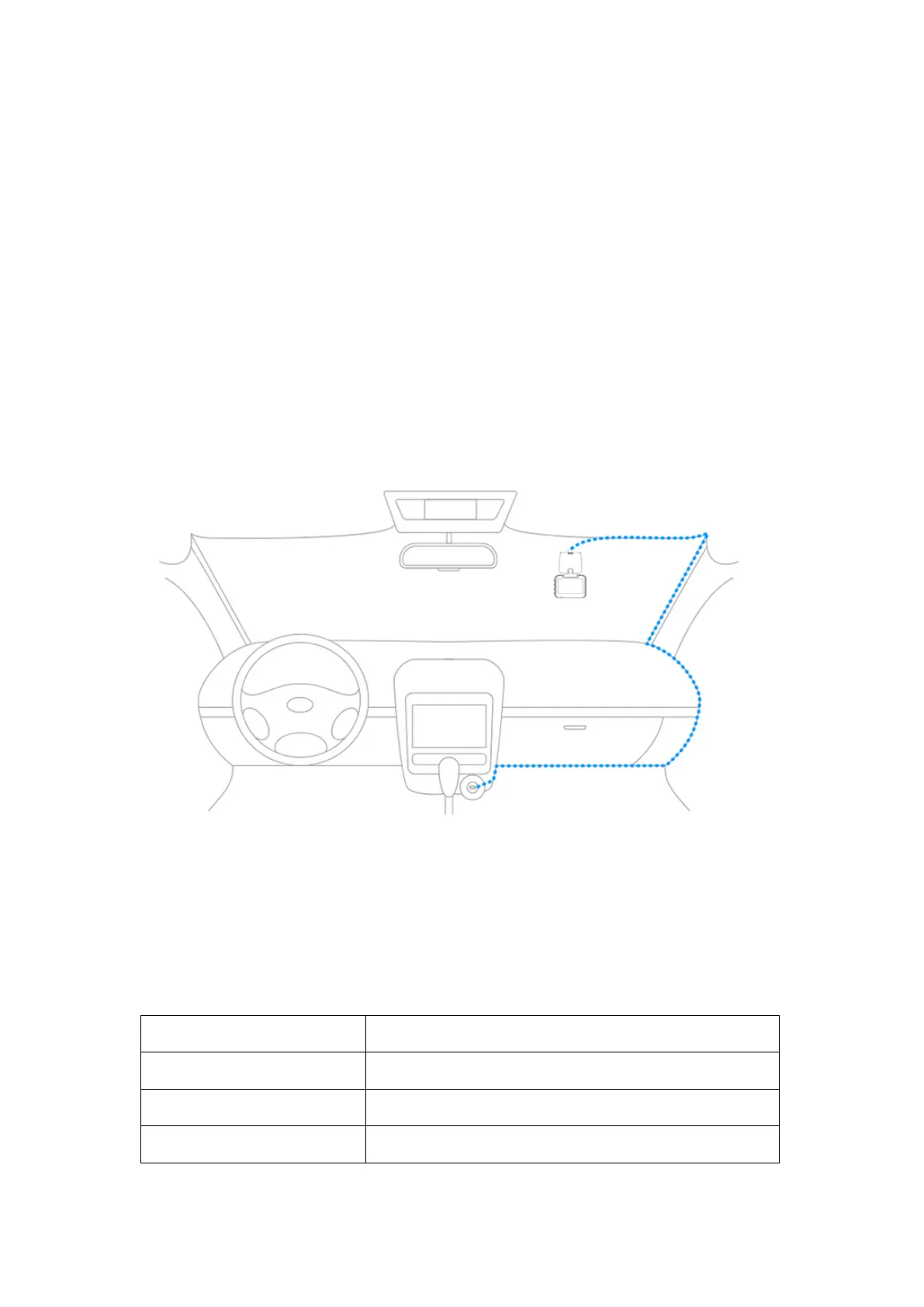
[Note] In wiring, lay the USB extension cable along the edge of the windshield of the vehicle as
shown in the figure:
6.Adjust the position of the lens and ensure that the lens is parallel to the ground.
7.Start the engine to check if the device is installed correctly.
[Note] After the device is installed correctly, the video indicator light (blue) will be on. And the
device will be started and enter the video recording state, and the video indicator light will flicker
in blue.
V. Specifications
2.0 inch, Resolution 960x240


 To Next Page
 Loading...