5.2. Setup
o Connect your computer to the boat LAN (Ethernet HUB or directly to
your MFD/laptop)
o Open the OSCAR Navigation-App or use Chrome or Firefox in the latest
version and go to http://192.168.1.11/WebContent/page/welcome.html
o Follow the instructions in the app to configure your OSCAR system.
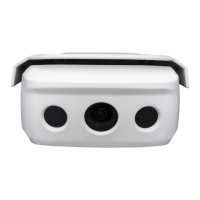
o During the OSCAR installation setup, the software will guide to align the
OSCAR One Unit properly. Therefore, a second person must be up the
mast to tilt the OSCAR One Unit up or down according to the software
until a green checkmark appears. Press finish to finish the camera set
up.
o When camera setup is finished, tighten the 2 flange screws and nuts to
fix OSCAR One.
o To set up the boat bus connection select your boat bus source. Go to the
settings panel in the OSCAR application, select settings, then “Select
MFD brand” and choose your primary MFD on which OSCAR needs to
run. In case you have multiple instrument sources, you need to choose a
source in the “Boat bus configuration” menu.


 To Next Page
 Loading...