ID: 1745 / ver. 201
2. INPUT adjustment (mode 2)
Adjust so the signal from TAPE/CD has the same level as the tone. Ensure that the sensitivity is set to
0 dB deflection on the VU-meter first, as mentioned in the first section, by using the Vol. buttons on
the front. The input signal in the tape plug, could be a CD-player with the calibration track (1000 Hz
sinus tone) playing.
Note: Some transducer manufacturers state a specific sound level offset in reference to the tone, for
speech audiometry. For example, for the Eartone 3A and 5A insert phones it is stated that the level
should be 12.5 dB above the tone, in a 2cc coupler. This may be obtained by adjusting the TAPE/CD
input 12.5 dB up.
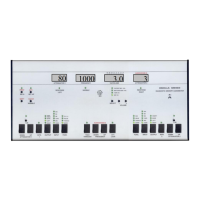
This is used to adjust the five different input signal levels in
relation to each other. Choose the signal type with the
channel 1 input selector, and do the adjustment with the
channel 1 attenuator:
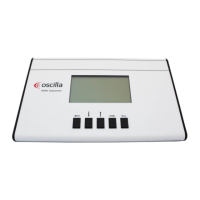
Vollume buttons on the front
TONE:
Should not be adjusted, normally standing at 15 dB. If needed
the TONE may be increased, but notice that this will affect
all places where the tone is used, and therefore requires that
the other signal levels (masking and tape) and OUTPUT
mode, is readjusted.
NB (Narrow Band) adjustment:
Adjust to 3 dB higher level than the tone at 1000 Hz. Adjust without bandpass filter.
SN (Speech Noise) adjustment:
Adjust to 3 dB higher level than the tone at 1000 Hz. Adjust without bandpass filter.
WN (White Noise) adjustment:
Adjust to 3 dB higher level than the tone at 1000 Hz. Adjust without bandpass filter.

 To Next Page
 Loading...