2.3 Settings
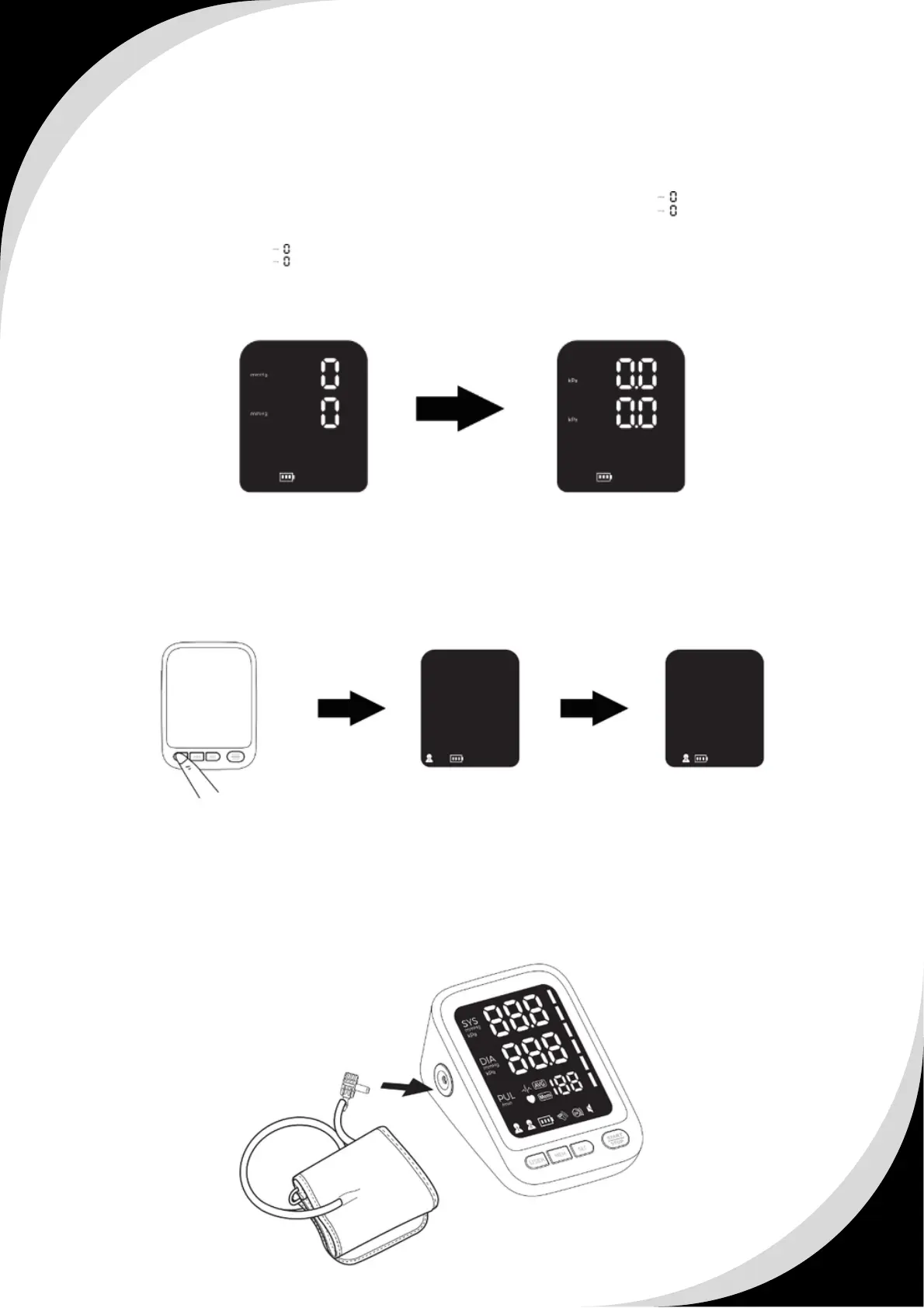
2.3.1 To set unit
Based on the first step and long press the “SET” button for 3 seconds to change
the previous measurement unit (kPa or mmHg), the mark appears and
flashes, now the BPM is in mmHg status, and then press the “MEM” button, to
change it into , now the BPM is in kPa status.
Press the “ START/STOP ” button to confirm the current setting.
2.3.2 To set user
Press the “ USER ” button when power o, and then press the “ USER ” button
again to switch User 1 or User 2.
The operation of setting can be stopped at any time by pressing
“START/STOP” button.
2.4 Proper Use of the Arm Cuff
2.4.1 Make sure the air plug is inserted properly in the main unit.


 To Next Page
 Loading...