I CAN'T CONNECT THE APP
- Make sure you have Bluetooth enabled on your phone
- Turn the wheel several times to activate it if it has been off for an
extended period.
- Make sure the battery is charged. (See below how to charge it)
- Check that the switch nut is correctly inserted in the wheel axle.
(See switch nut section above).
HOW TO CONFIGURE THE APP
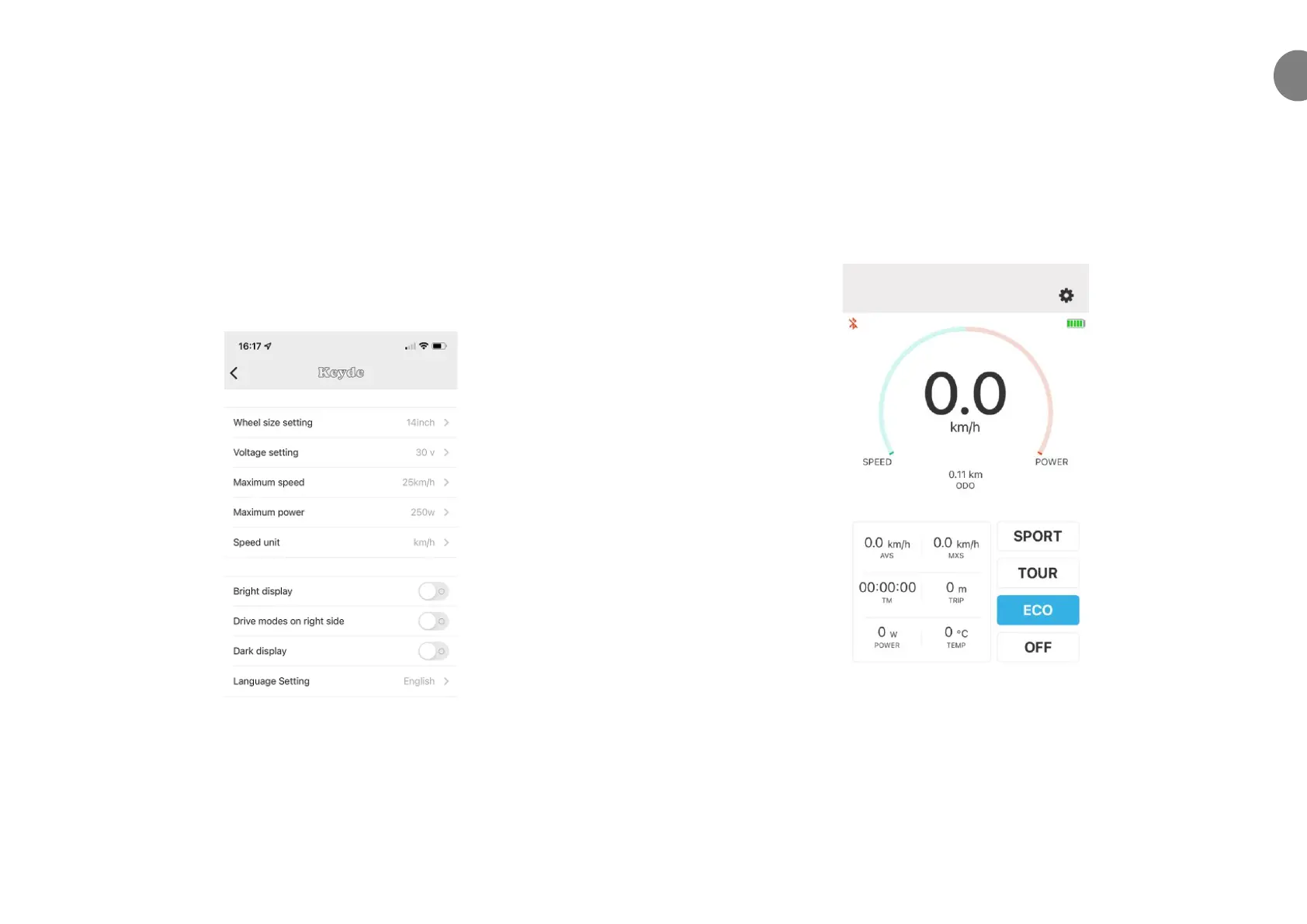
Once downloaded and launched on the phone, you must configure it for
use with the Ossby Curve. At the top right you will find the menu. Make
sure to set it as shown in the image above.
READY TO RIDE
From the main page of the APP you can choose between the three
assistance modes: ECO mode offers the least assistance while SPORT
mode offers the most. The electrical system can also be disactivated when
you do not want to use it by pressing the OFF button.
You can check the battery level to know when you need to charge it again.


 To Next Page