EasyManua.ls Logo

Oster OS-BSBSME20SSEVDI - User Manual

Oster OS-BSBSME20SSEVDI
40 pages
Go to English
Print Icon
To Next Page IconTo Next Page
Loading...
MODELO/
OS-BSBSME20SSEVDI
MODEL
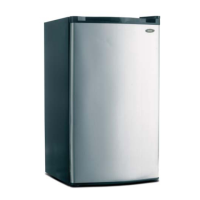
REFRIGERADOR
REFRIGERATOR
Question and Answer IconNeed help?

Do you have a question about the Oster OS-BSBSME20SSEVDI and is the answer not in the manual?

Summary

SAFETY

Electrical Connection

Details on grounding, plug type, and avoiding shocks.

Climate Range

Information on ambient temperature for appliance operation.

PRODUCT FEATURES

Appliance Locks and Key Safety

Information on refrigerator locks and key safety.

Freon-Free Refrigerant Technology

Details on environmentally friendly refrigerant (R600a) and safety.

Computerized Temperature Control

Explanation of electronic temperature control via LED display.

Inverter Technology

Benefits of inverter technology like energy saving and precise control.

LECO Device

Function of LECO device for flavor and freshness preservation.

Green Technology

Use of freon-free refrigerant and eco-friendly materials.

Stylish Appearance

Description of the refrigerator's design and ease of use.

User-Friendly Design Features

Highlights functions like wide voltage range and auto-temp control.

PREPARATIONS FOR USE

Installation Location

Guidance on choosing a well-ventilated location away from heat sources.

Heat Dissipation Space

Recommended clearances around the refrigerator for heat dissipation.

Level Ground

Instructions for placing the refrigerator on a stable, flat surface.

Standing Time

Recommended waiting time before energizing the refrigerator.

Initial Cleaning Procedure

Steps for cleaning accessory parts and interior before first use.

Initial Power-On Steps

How to plug in and check if the refrigeration system is working.

First Food Storage Guidelines

Guidelines for storing food after the refrigerator cools down.

Installation Proximity and Noise

Advice on moving the unit if it contacts the wall or causes noise.

FUNCTIONS

Control Panel and Function Settings

Explanation of the display panel and key operations.

Setting Compartment Temperatures

How to set temperatures for fridge and freezer compartments.

Using the Fast Freeze Feature

How to enable and the effects of the fast freeze mode.

Smart Mode Operation

How to enable and the benefits of the Smart mode.

Child Lock Security Feature

How to enable and disable the child lock feature.

Door Ajar Warning System

How the door open alarm functions and stops.

Power Outage Memory Function

Refrigerator's ability to retain settings after power loss.

Compressor Power-On Delay

Compressor delay feature to prevent damage from short power outages.

Over-Temperature Warning

How the over-temperature alarm indicates freezer issues.

Diagnostic Fault Codes

Error codes displayed for refrigerator malfunctions.

INSTRUCTIONS FOR FOOD STORAGE

General Food Storage Warnings

Warnings on temperature consistency and effervescent drinks.

Optimizing Food Storage Locations

Guidance on placing different foods in appropriate compartments.

Using the Fresh Food Compartment

How to set temperature and store food in the fresh food section.

Crisper Box Humidity Regulation

How to adjust the humidity regulating rod for produce.

Food Storage Best Practices

Tips on cleaning, sealing, and not overloading the refrigerator.

Tips for Energy Saving

Tips on cooling hot food and thawing frozen items.

Storing Fruits and Vegetables

Note on cold-sensitive fruits and vegetables.

Using the Frozen Food Compartment

How to store food for long-term preservation in the freezer.

Fast Freezing Food Quality

Benefits of fast freezing for food quality and nutrition.

Tips for Buying Frozen Foods

Advice on buying and transporting frozen foods.

Operating the Water Dispenser

Instructions for filling and using the water dispenser.

MAINTENANCE AND CLEANING

Safety Precautions for Cleaning

Safety warnings before cleaning the appliance.

Cleaning the Refrigerator Interior and Exterior

How to clean the interior and exterior of the refrigerator.

Prohibited Cleaning Agents

List of cleaning materials that should not be used.

Door Gasket Maintenance

Instructions for cleaning and reattaching the door gasket.

Managing Power Interruptions

How to manage frozen food during power outages.

Automatic Defrost System

Information about the appliance's automatic defrost function.

LED Lamp Service

Information on the LED lamp and replacement procedures.

Safety Checks Post-Maintenance

Safety checks to perform after maintenance or repairs.

SIMPLE FAULT ANALYSIS AND ELIMINATION

Troubleshooting No Cooling

Troubleshooting for cases of complete lack of refrigeration.

Resolving Abnormal Noises

Identifying and resolving unusual noises from the refrigerator.

Improving Refrigerating Efficiency

Diagnosing and fixing reduced cooling performance.

Eliminating Refrigerator Odors

Addressing and eliminating unusual odors inside the unit.

Troubleshooting Unresponsive Keys

Troubleshooting when the control panel keys are unresponsive.

Resolving Temperature Setting Issues

Resolving issues where temperature cannot be set.

Interpreting Flashing Display Digits

Understanding flashing digits on the temperature display.

Electrical Safety and Compliance

Details on electrical compliance and grounding.

Environmentally Safe Disposal

Guidelines for the environmentally friendly disposal of the appliance.

Summary

SAFETY

Electrical Connection

Details on grounding, plug type, and avoiding shocks.

Climate Range

Information on ambient temperature for appliance operation.

PRODUCT FEATURES

Appliance Locks and Key Safety

Information on refrigerator locks and key safety.

Freon-Free Refrigerant Technology

Details on environmentally friendly refrigerant (R600a) and safety.

Computerized Temperature Control

Explanation of electronic temperature control via LED display.

Inverter Technology

Benefits of inverter technology like energy saving and precise control.

LECO Device

Function of LECO device for flavor and freshness preservation.

Green Technology

Use of freon-free refrigerant and eco-friendly materials.

Stylish Appearance

Description of the refrigerator's design and ease of use.

User-Friendly Design Features

Highlights functions like wide voltage range and auto-temp control.

PREPARATIONS FOR USE

Installation Location

Guidance on choosing a well-ventilated location away from heat sources.

Heat Dissipation Space

Recommended clearances around the refrigerator for heat dissipation.

Level Ground

Instructions for placing the refrigerator on a stable, flat surface.

Standing Time

Recommended waiting time before energizing the refrigerator.

Initial Cleaning Procedure

Steps for cleaning accessory parts and interior before first use.

Initial Power-On Steps

How to plug in and check if the refrigeration system is working.

First Food Storage Guidelines

Guidelines for storing food after the refrigerator cools down.

Installation Proximity and Noise

Advice on moving the unit if it contacts the wall or causes noise.

FUNCTIONS

Control Panel and Function Settings

Explanation of the display panel and key operations.

Setting Compartment Temperatures

How to set temperatures for fridge and freezer compartments.

Using the Fast Freeze Feature

How to enable and the effects of the fast freeze mode.

Smart Mode Operation

How to enable and the benefits of the Smart mode.

Child Lock Security Feature

How to enable and disable the child lock feature.

Door Ajar Warning System

How the door open alarm functions and stops.

Power Outage Memory Function

Refrigerator's ability to retain settings after power loss.

Compressor Power-On Delay

Compressor delay feature to prevent damage from short power outages.

Over-Temperature Warning

How the over-temperature alarm indicates freezer issues.

Diagnostic Fault Codes

Error codes displayed for refrigerator malfunctions.

INSTRUCTIONS FOR FOOD STORAGE

General Food Storage Warnings

Warnings on temperature consistency and effervescent drinks.

Optimizing Food Storage Locations

Guidance on placing different foods in appropriate compartments.

Using the Fresh Food Compartment

How to set temperature and store food in the fresh food section.

Crisper Box Humidity Regulation

How to adjust the humidity regulating rod for produce.

Food Storage Best Practices

Tips on cleaning, sealing, and not overloading the refrigerator.

Tips for Energy Saving

Tips on cooling hot food and thawing frozen items.

Storing Fruits and Vegetables

Note on cold-sensitive fruits and vegetables.

Using the Frozen Food Compartment

How to store food for long-term preservation in the freezer.

Fast Freezing Food Quality

Benefits of fast freezing for food quality and nutrition.

Tips for Buying Frozen Foods

Advice on buying and transporting frozen foods.

Operating the Water Dispenser

Instructions for filling and using the water dispenser.

MAINTENANCE AND CLEANING

Safety Precautions for Cleaning

Safety warnings before cleaning the appliance.

Cleaning the Refrigerator Interior and Exterior

How to clean the interior and exterior of the refrigerator.

Prohibited Cleaning Agents

List of cleaning materials that should not be used.

Door Gasket Maintenance

Instructions for cleaning and reattaching the door gasket.

Managing Power Interruptions

How to manage frozen food during power outages.

Automatic Defrost System

Information about the appliance's automatic defrost function.

LED Lamp Service

Information on the LED lamp and replacement procedures.

Safety Checks Post-Maintenance

Safety checks to perform after maintenance or repairs.

SIMPLE FAULT ANALYSIS AND ELIMINATION

Troubleshooting No Cooling

Troubleshooting for cases of complete lack of refrigeration.

Resolving Abnormal Noises

Identifying and resolving unusual noises from the refrigerator.

Improving Refrigerating Efficiency

Diagnosing and fixing reduced cooling performance.

Eliminating Refrigerator Odors

Addressing and eliminating unusual odors inside the unit.

Troubleshooting Unresponsive Keys

Troubleshooting when the control panel keys are unresponsive.

Resolving Temperature Setting Issues

Resolving issues where temperature cannot be set.

Interpreting Flashing Display Digits

Understanding flashing digits on the temperature display.

Electrical Safety and Compliance

Details on electrical compliance and grounding.

Environmentally Safe Disposal

Guidelines for the environmentally friendly disposal of the appliance.

Oster OS-BSBSME20SSEVDI Specifications

General IconGeneral
BrandOster
ModelOS-BSBSME20SSEVDI
Door TypeFrench Door
Energy EfficiencyEnergy Star Certified
Temperature ControlDigital
Noise Level42 dB
Capacity20 cu ft
ShelvesAdjustable Glass Shelves
Defrosting TypeAutomatic
Warranty1 Year Limited

Related product manuals