6
preparIng the Stand mIxer for uSe
raISIng and loWerIng
the mIxIng head
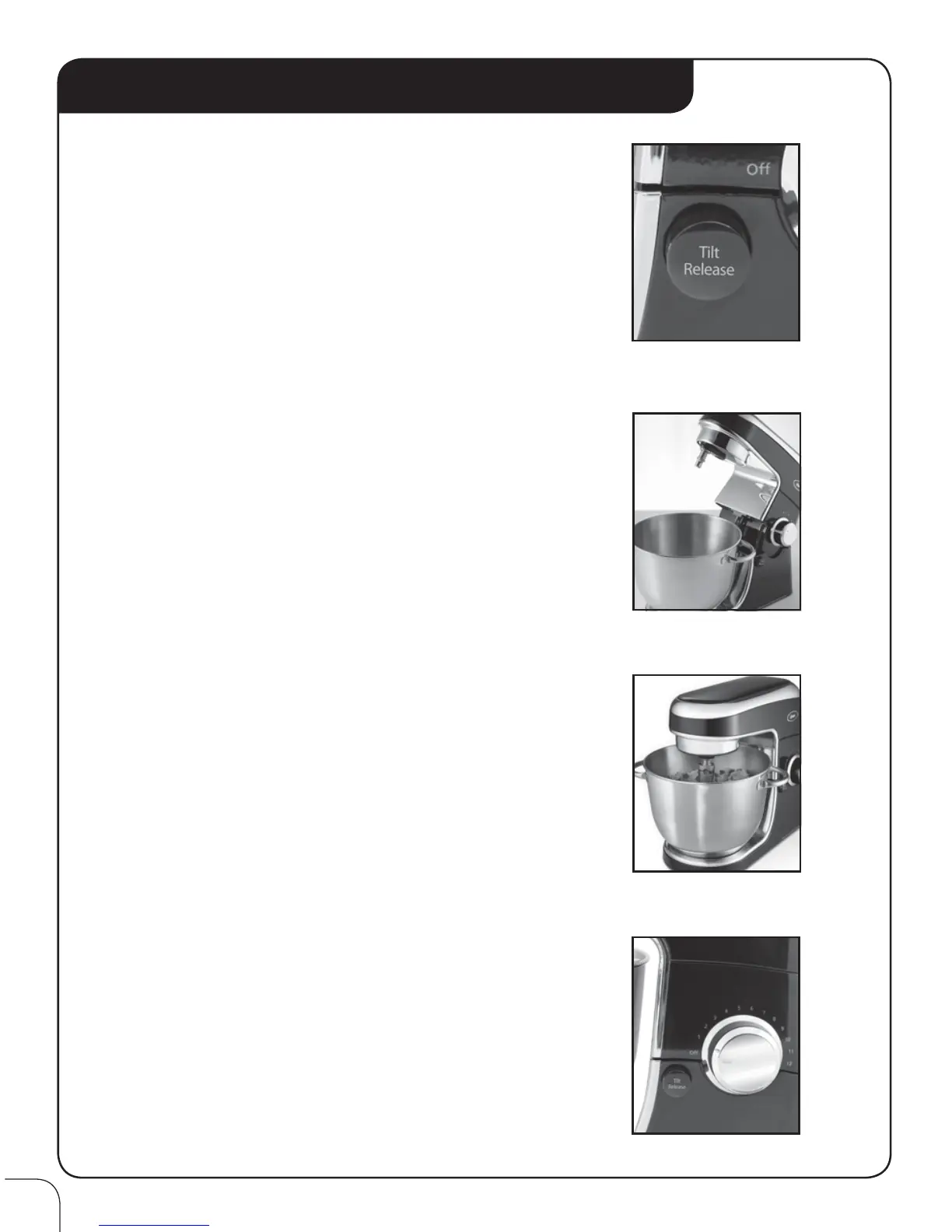
To tilt mixer head, push Tilt Release button
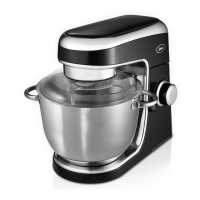
(Figure A) and slowly lift mixer head until it locks in
the upright position. (Figure B)
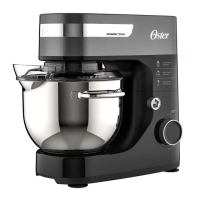
To lower mixer head, grab head, push Tilt Release
button and gently lower mixer head, ensuring it locks
in downward position. A "click" sound will indicate
the mixer head has locked securely into position.
(Figure C)
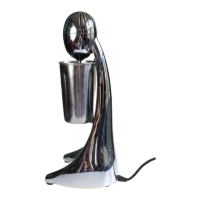
operatIng Speed Control Knob:
The speed control dial is used for turning the mixer
ON and OFF and for selecting its 12 mixing speeds.
Rotate the speed control dial in a CLOCKWISE
direction to increase mixing speed, and in a
COUNTERCLOCKWISE direction to decrease
mixing speed.
Rotate the speed control dial until the indicator is
aligned with the indicator line for the desired speed.
(Figure D)
NOTE: Always begin mixing at the lowest possible
speed setting, then gradually move to desired
higher speed to avoid splashing ingredients
out of bowl.
DO NOT OPERATE WITHOUT ATTACHMENTS AND
SEE NEXT SECTION "INSTALLING YOUR ATTACHMENTS"
TO BEGIN.
Figure B
Figure C
Figure D
Figure A


 To Next Page