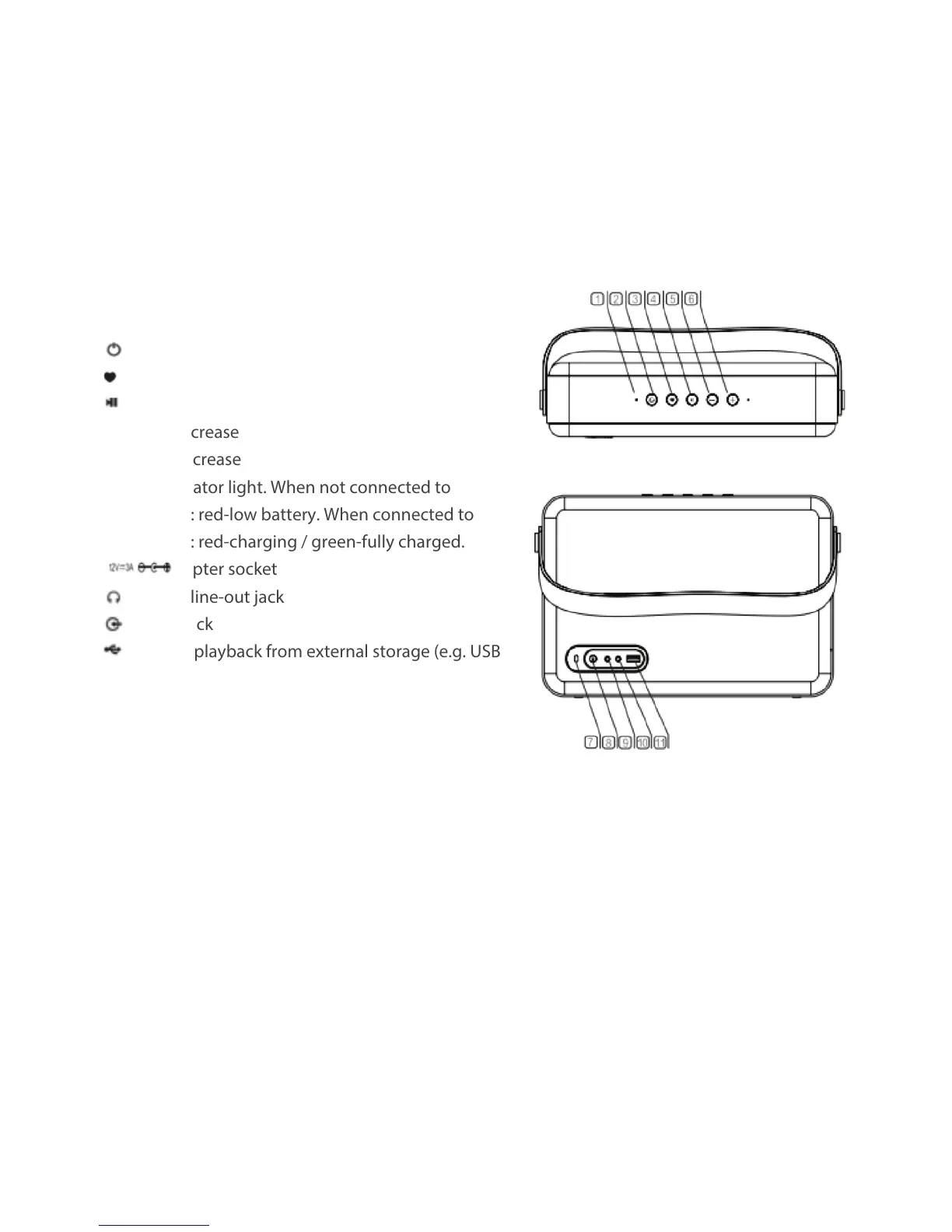
jStatus light (white-WiFi / blue-Bluetooth / purple-USB
/ green-Aux-in)
k start-up/shut-down
l Mode
m Play/pause
n-Volume decrease
o+Volume increase
pCharge indicator light. When not connected to
power supply: red-low battery. When connected to
power supply: red-charging / green-fully charged.
q Power adapter socket
r Headphone line-out jack
s Aux line-in jack
s USB port for playback from external storage (e.g. USB
hard drive).
Button and Connection Functions


 To Next Page