User Manual
| 04
User Manual
| 03
5. Power on/off
5.1 Power on
Please make sure that the device is connected to an external power source.
5.2 Power off
Disconnect the chargers, it will automacally power off.
Plug the chargers, it will automacally power on. Press the buon at the top of the device,
7. Phone Bluetooth Connecon
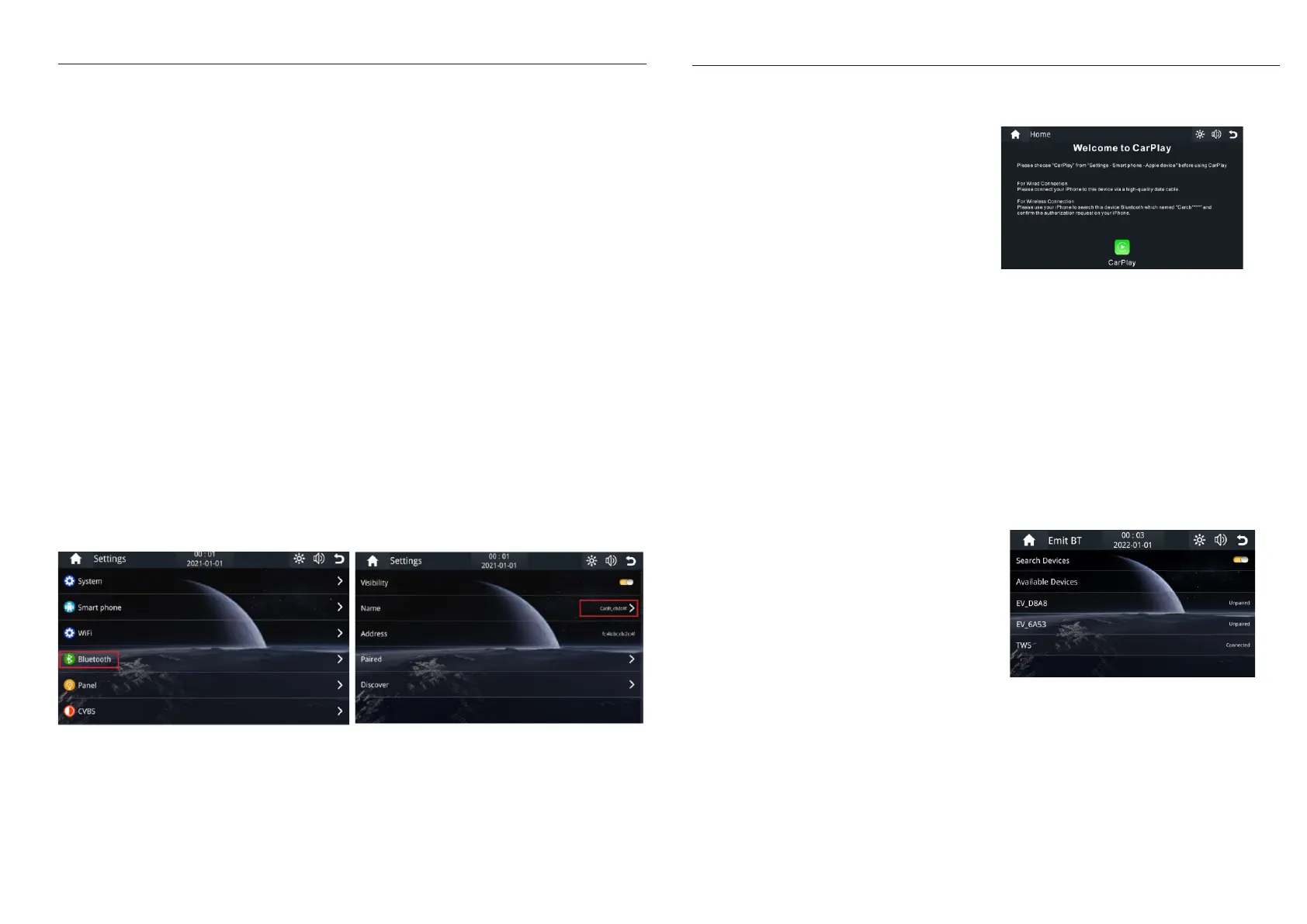
1). Tap on Seng->Bluetooth on device and acve
Bluetooth funcon on phone.
2). The phone will search the device and tap the same
bleutooth name device. It will pop up “Bluetooth Pairing
Request”, input the pin code and tap “pair ”
1). Tap the CarPalyicon.
6. User Interface
1. Home buon: Tap it to return home page
2. Android Auto: Tap it to connect android mobile
3. Apple CarPlay: Tap it to connect iPhone
4. Time and Date: Display current me and date
5. HuiWei HiCar: Tap it to connect HuiWei mobile
6.
Bluetooth icon: Show the bluetooth statue
7. Dayme mode or night me mode
8. Speaker: Tap it adjust the volume of speaker
9.
SDCard: Tap it view the data of the microSD
10. Return buon: Tap it to return previous page
11.
Se
ng: Tap to enter seng menu
12. Emit BT: Tap to connect bluetooth device
2). if it is the first time to use, please follow the steps
8 Wireless CarPlay Connecon.
1). Tap the Android Auto icon.
2). First me to use, pair the bluetooth between mobile
and C5 device.
Note: If your phone don’t have Android Auto, please go
to Google play app to install Android Auto.
9 Wireless Android Auto Connecon.
the device will enter power saving mode.Pess it again, the screen will be back.
as below.
1). Tap Emit BT icon enter the bluetooth menu.
2). Start the Helmet Bluetooth in pair mode.
3). Active “Search Devices”
4). Tap the helmet bluetooth device name to pair
1 Emit Bluetooth Connecon1.
1). Tap the Huawei HiCar icon.
10.
Wireless HuaWei HiCar Connection (Optional)
2). First me to use, pair the bluetooth between mobile
and C5 device.



 To Previous Page
 Loading...