6
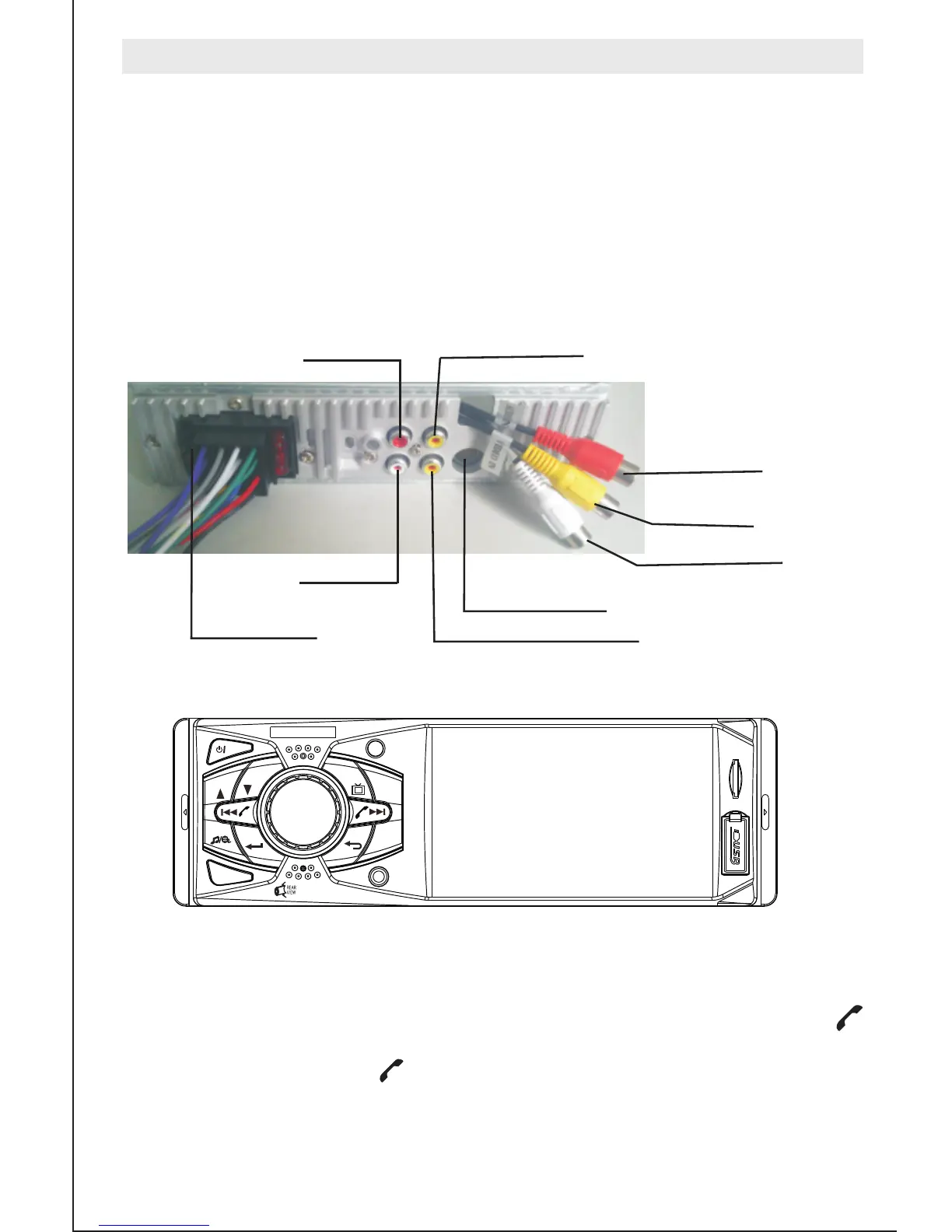
ISO connector
1,when use reversing rear view function.reversing video
signal from the corresponding port input connection back
line,when reversing will automatically switch to reversing
visual state.
2,Audio/Vedio input(optional)
Connect audio/Vedio lines,press Mode can select AUX-2
state.
Audio outut
Audio outut
Reversing Video Signal input
Audio input right
Audio input left
Video input
Video Signal output
The antenna input interface
Basic operation
3. bluetooth function only for the unit with bluetooth
After connecting the mobile,the bluetooth symbol turn green means the connection is
ok,when calls come in will enter into the bluetooth interface automatically,press
”
”
answering the phone,press
”
” hanging up the phone.
M
MEMU
1
2
3
4
5
6
MUTE
CLK
BAND
AMS
AUX
RES
4011B
x
x


 To Next Page