15.
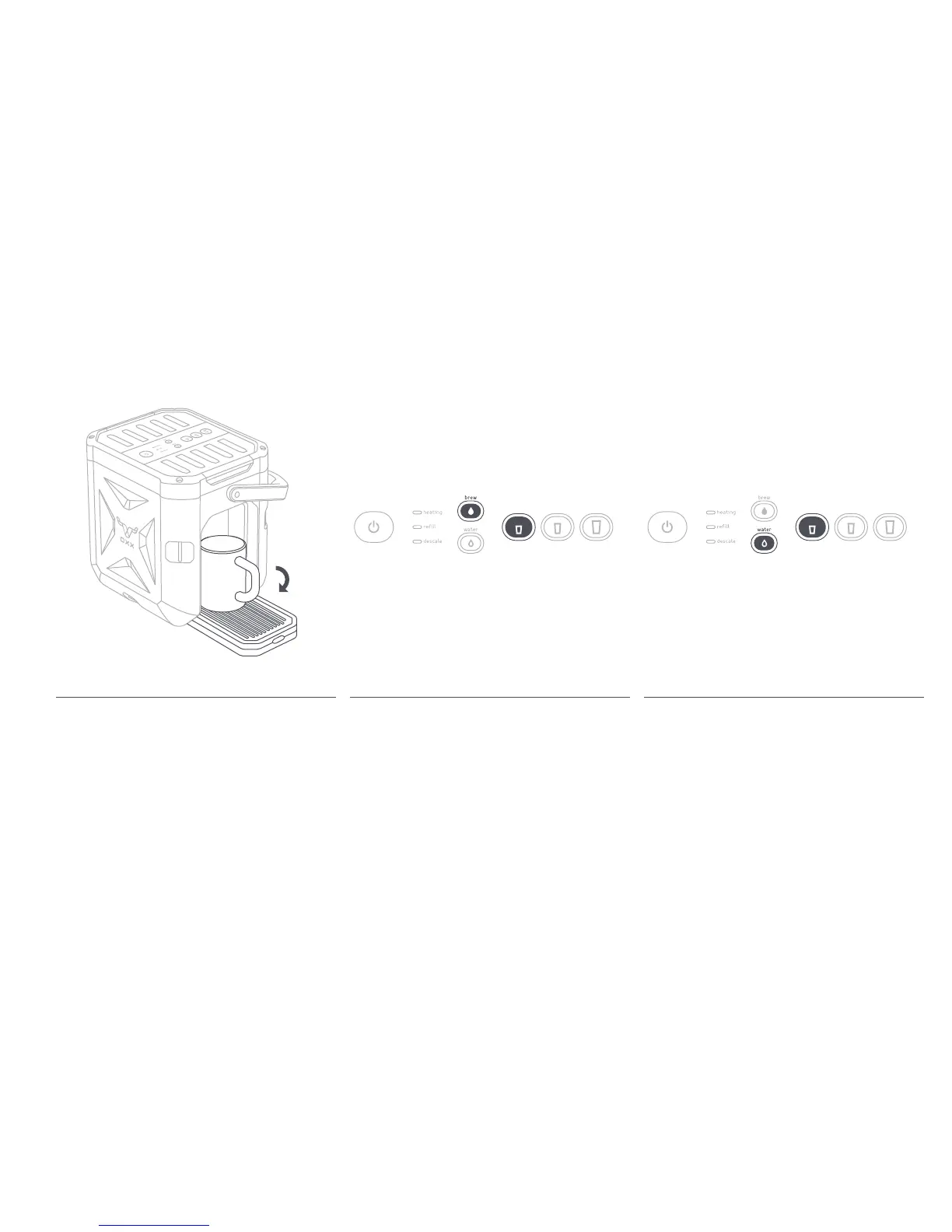
Flushing the Hot Water DispenserFlushing the Brewing SystemOpening the Drip Tray
Make sure the Brew Button is lit and press the 8 oz.
Cup Button (the smallest cup). Water will begin to
flush through the brewing system. Once the cycle
is complete, the Cup Size Buttons will begin to blink.
Discard the water from the cup and repeat 3 more
times.
Note: We recommend that you flush the machine
before the first use, after a month of consistent use,
and after 2 weeks of non-use.
Press the Hot Water Button and then the 8 oz. Cup
Button. Water will begin to flush through the hot water
system. Once the cycle is complete the Cup Size
Buttons will begin to blink. Discard the water from the
cup and repeat 3 more times. Your machine is now
ready for use.
Lower the Drip Tray and place coffee cup (8 oz.
minimum) toward the back of the Drip Tray.


 To Next Page