3
Via Software; search for BUTTON SETTINGS and choose the right
function and assign it to the desired button, you can adjust the buttons
configuration and have it your way. You can save different configurations in
each profile to maximize your gaming experience in every game you play.
(install the driver to assign different functions to each button)
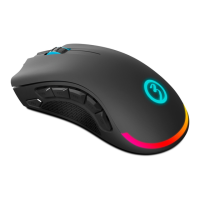
1 - Click
2 - Menu
3 - Wheel Click
4 - CPI Cycle
5 - IE Forward
6 - IE Backward
7 - Volume Up
8 - Volume Down
9 - Scroll Up
10 - Scroll Down
easy & custOm User PROFILES
DEFAULT BUTTON ASSIGNMENT



 To Next Page