
 Need help?
Do you have a question about the Ozone Rage X60 and is the answer not in the manual?
Plug the headset's USB connector into a PC USB port.
Obtain the necessary driver software from the official website.
Launch the installation program by double-clicking the setup file.
The installation proceeds automatically; click "Finish" to conclude.
Details who is covered and what the warranty protects.
 General
| Cable length | 2 m |
|---|---|
| Headset type | Binaural |
| Product type | Headset |
| Plug and Play | Yes |
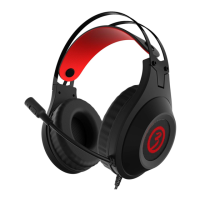
| Product color | Black, Red |
| Wearing style | Head-band |
| Recommended usage | Gaming |
| 3.5 mm connector | No |
| Connectivity technology | Wired |
| Audio output channels | 7.1 channels |
| Impedance | 32 Ω |
| Driver unit | 50 mm |
| Ear coupling | Circumaural |
| Headphone frequency | 18 - 20000 Hz |
| Microphone frequency | 100 - 10000 Hz |
| Microphone sensitivity | -54 dB |
| Microphone input impedance | 2200 Ω |
| Package type | Box |
| Quantity | 1 |
 Weight and Dimensions
| Weight | 350 g |
|---|

 To Next Page
