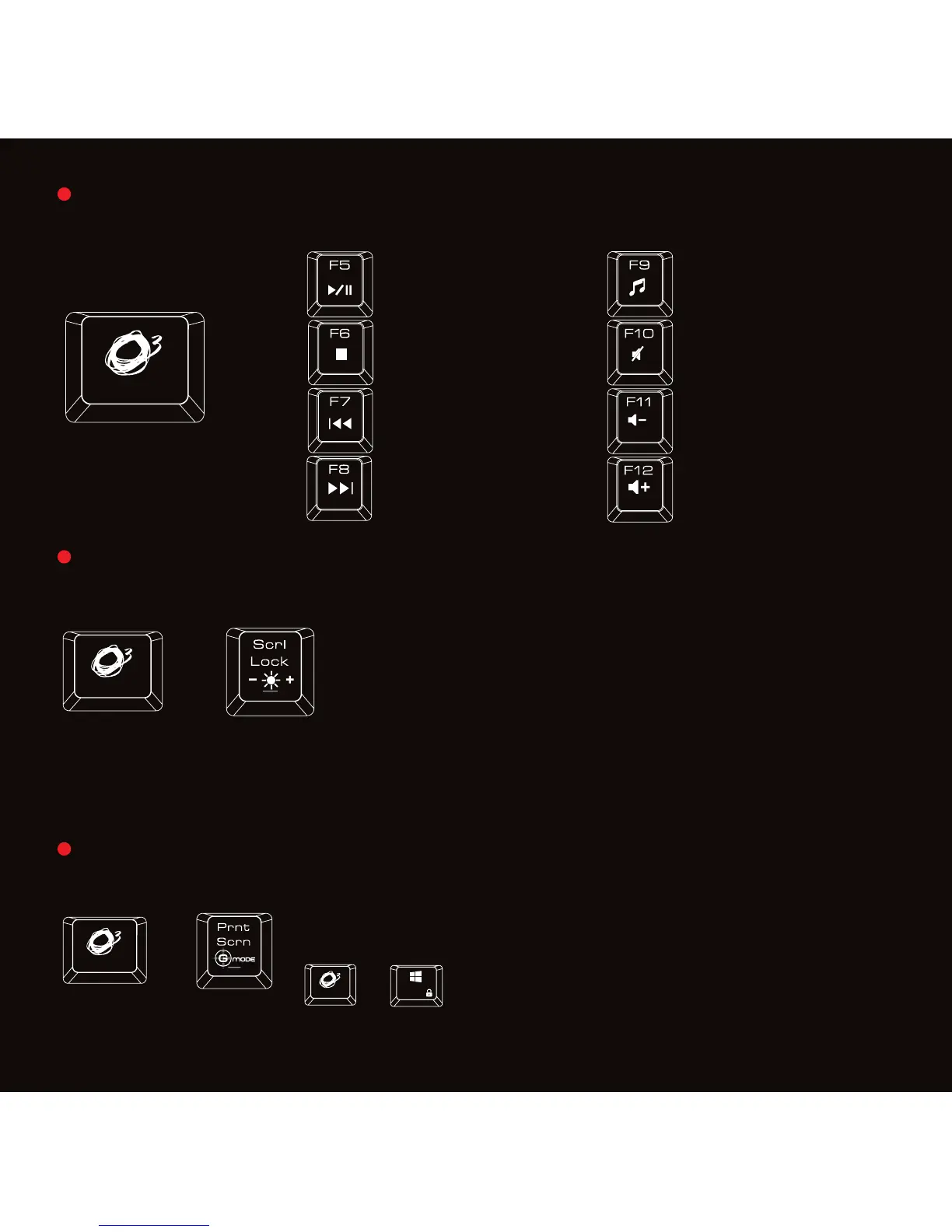
Multimedia shortcut keys on keyboard from F5 - F12
Press
o key for media playback functions
Gaming Mode: Press
o + Prnt Scrn on keyboard to enter gaming mode.
In gaming mode, Strike Pro will work under following conditions:
Left Window Key Disabled
M1 - M6 Macro keys Enabled
o + Left Window key to switch between
arrow keys and WASD functions
Play or Pause
1st : 0% Brightness, no Lighting
2nd: Pulsating Lighting Effect
3rd: 10% Brightness
4th: 30% Brightness
5th: 70% Brightness
6th: 100% Brightness
Start Media Player
Stop Mute
Previous Track
Volume
-
Next Track Volume +
Press o + Scroll Lock on keyboard to adjust back lighting effects
Default Mode: Pulsating Lighting Effects
+
+
+
+
5


 To Next Page