EasyManua.ls Logo

PAC AAI-HD3 - Page 2

PAC AAI-HD3
2 pages
Print Icon
To Previous Page IconTo Previous Page
Loading...
2
Santa Ana, CA 92705
techsupport@pac-audio.com • www.pac-audio.com
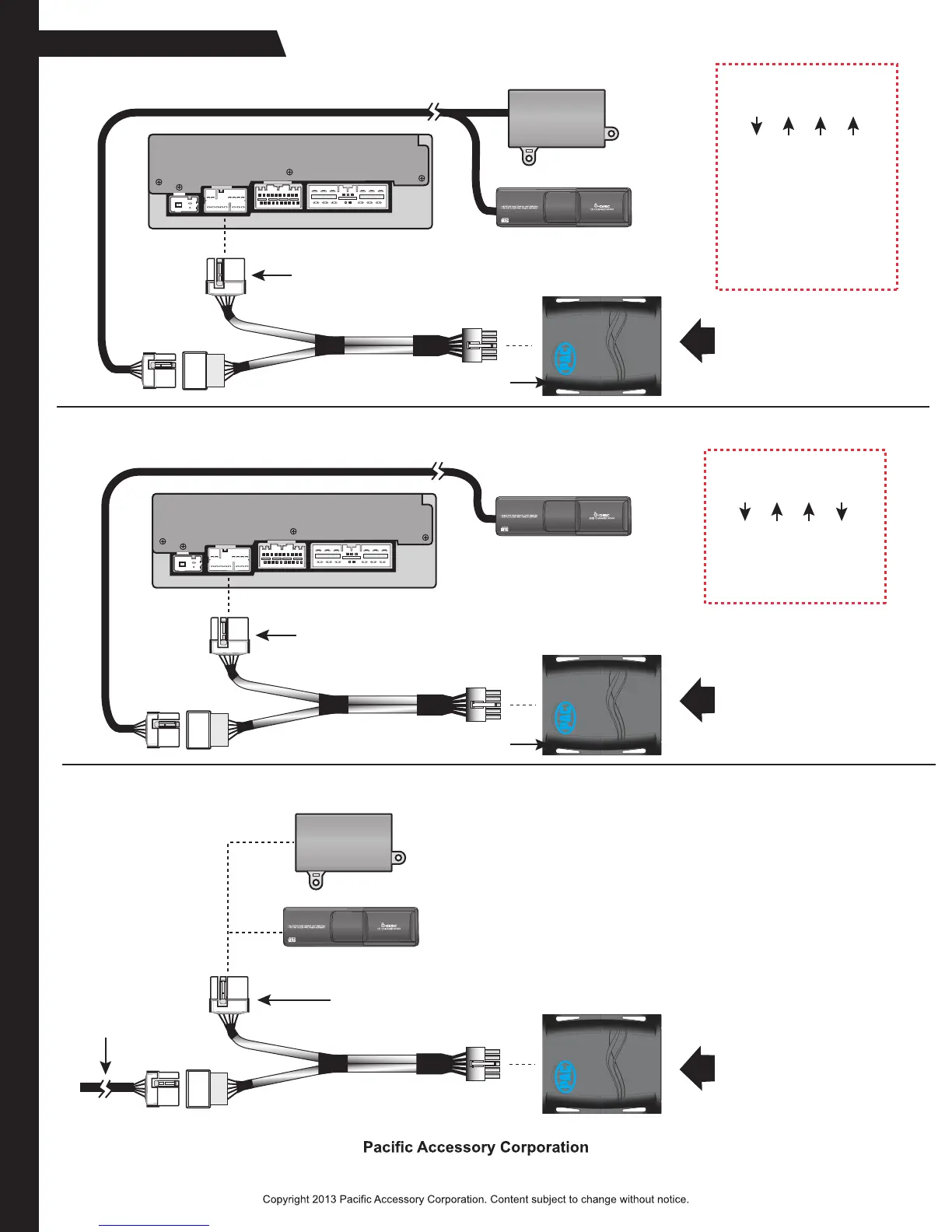
Installation Diagram
Plug in Auxiliary
Device into
RCA Connectors
14-Pin CD Changer
Data Connector
Factory Satellite
Tuner
(if present)
and / or
CD Changer
SET DIP SWITCHES TO:
1 2 3 4
Use “CD/AUX”, “XM/AUX”,
or “DVD/AUX” button to
access AUX Mode
Factory Radio (rear view)
Factory Data Cable
Plug in Auxiliary
Device into
RCA Connectors
14-Pin CD Changer
Data Connector
Factory DVD/CD
Changer (if present)
SET DIP SWITCHES TO:
1 2 3 4
Use “XM”, “XM/AUX”, or
AUX” button to
access AUX Mode
Factory Data Cable
Factory Radio (rear view)
Plug in Auxiliary
Device into
RCA Connectors
Factory Satellite
Tuner
(if present)
and / or
CD Changer
Factory Data
Cable
CD EMULATION MODE
SAT EMULATION MODE
CONNECTION AT XM TUNER / CD CHANGER LOCATION
14-Pin CD Changer
Data Connector
AAI-HD3 will show on radio
as “CD 1 TR 1” or
“CD2” (if CD changer is
already present)
DIP switch window cover