© 2020 AAMP Global. All rights reserved. PAC is a Power Brand of AAMP Global.
PAC-Audio.com
Pacific Accessory Corporation
Page 3
Rev: V1
Date: 091120
Advanced Subwoofer Amplier Interface
for Select Ford Vehicles
APSUB-FD21
Setup and Conguration (cont.)
Setting the minimum volume using the programming button
1. Start with the level control knob turned all the way down (counter-clockwise).
2. Set the amp gains to the desired level.
3. Set the volume on the factory radio to 1.
4. Press the programming button on the side of the interface once.
5. LED 1 will turn amber and the chimes will begin sounding every ve seconds.
6. Turn the level control knob clockwise until the desired minimum volume level is reached.
7. You can now either press the programming button once or wait ten seconds to exit the settings.
Setting the minimum volume using the factory SWC (This method not available in Focus)
1. Start with the level control knob turned all the way down (counter-clockwise).
2. Set the amp gains to the desired level.
3. Set the volume on the factory radio to 1.
4. Press and hold the track up button on the factory SWC for approximately ten seconds. PLEASE NOTE: The radio will
respond to the SWC commands during this process, this is normal and has no effect on the APSUB operation.
5. LED 1 will turn amber and the chimes will begin sounding every ve seconds.
6. Turn the level control knob clockwise until the desired minimum volume level is reached.
7. You can now either press the programming button once or wait ten seconds to exit the settings.
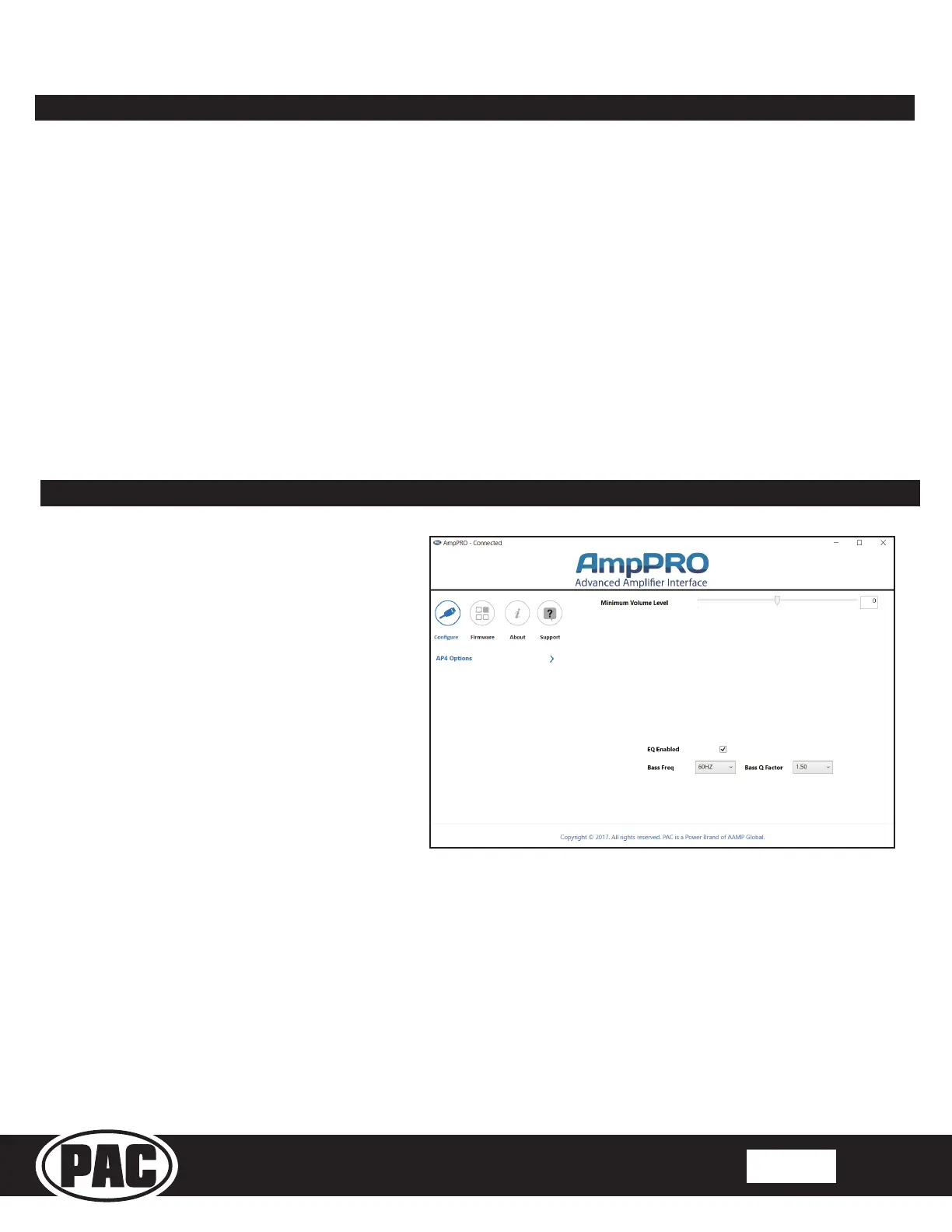
AmpPRO App
PLEASE NOTE: These settings can be adjusted with the module installed in the vehicle, or on the bench. However, it is
recommended to make the adjustments with the module installed, and the factory radio on, so that the changes can be
heard.
Minimum Volume Level - This allows you to set the minimum volume level of the factory radio (factory radio volume level 1).
EQ Enabled - This allows you to enable / disable the bass band factory EQ from adjusting the APSUB output.
Bass Freq / Q Factor - This allows you to set the center frequency that will be adjusted when setting the bass band on the
factory EQ, as well as the Q Factor for the frequency. The Q Factor determines how many of the adjacent frequencies will be
affected when adjusting the selected frequency. The lower the Q Factor, the more frequencies will be affected. See next page
for available frequencies and Q Factors. Note: This setting only affects the output of the APSUB and does not change the way
that the factory EQ adjusts the factory speakers.
Use of the AmpPRO PC App
allows you to do the following:
• Congure User Interface Options such as:
• Minimum Volume Level
• Enable / Disable Factory EQ
• Set Bass Center Frequencies and Q Factor
• Update Product Firmware
• Read Firmware / Hardware Versions
• You can download the AmpPRO app at :
https://pac-audio.com/app-downloads/
PLEASE NOTE: Level control knob must be connected to module for either of the following methods.



 To Next Page
 Loading...