DC60Xu Remote Control
RF Pairing
• The DC60Xu remote control will not be paired to the HD DTA in the SIK.
• For RF Pairing follow the steps below
• Press and hold the Setup Key until the All Power LED turns green then release
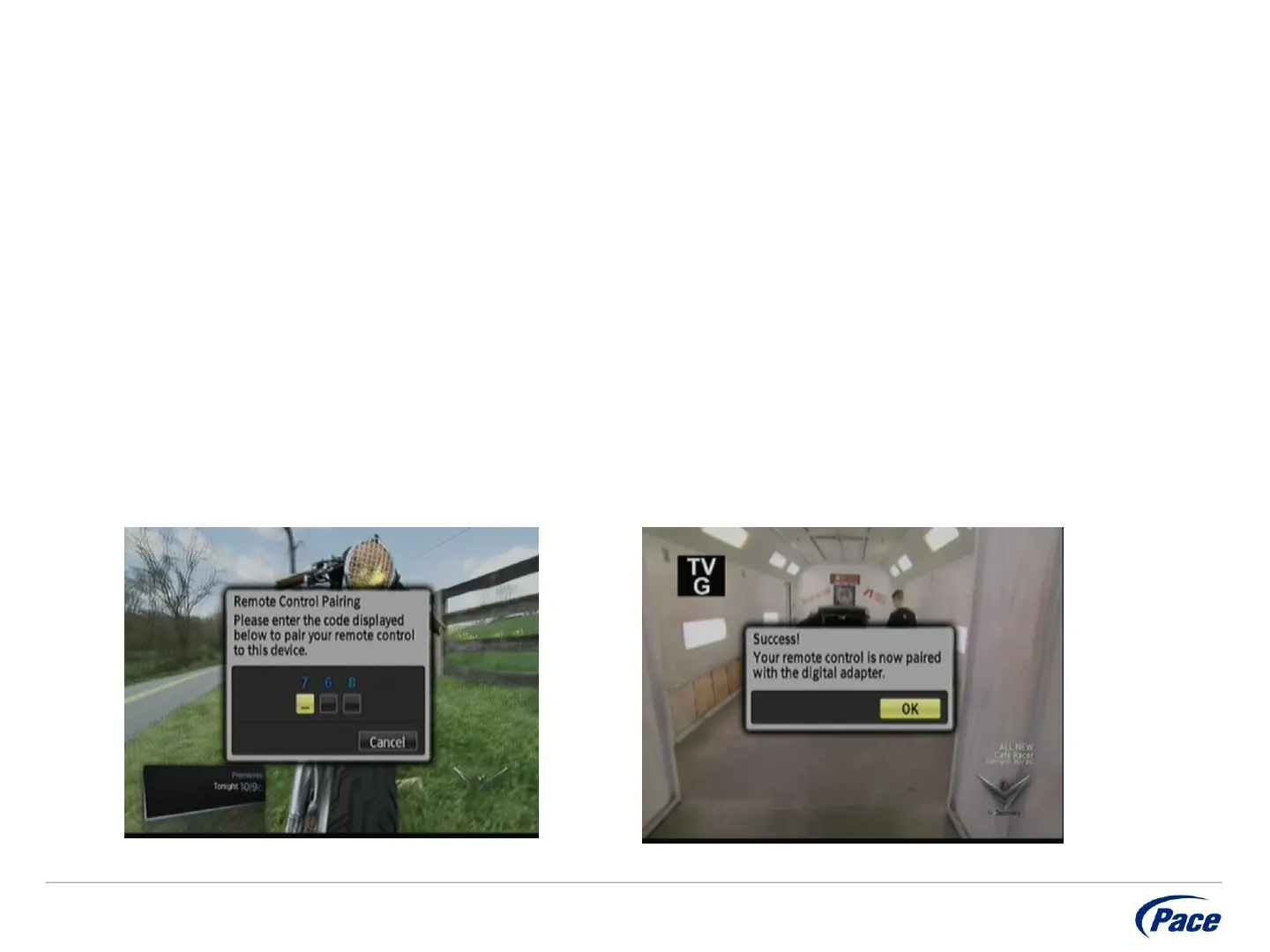
• Press and release the Menu Key rapidly (up to 5 times) until the Remote Control
Pairing overlay appears
• Enter the three digit code that is displayed
• Once the DC60Xu is paired you will see Success overlay appear – press OK to
complete the process
Private & Confidential
9


 To Next Page