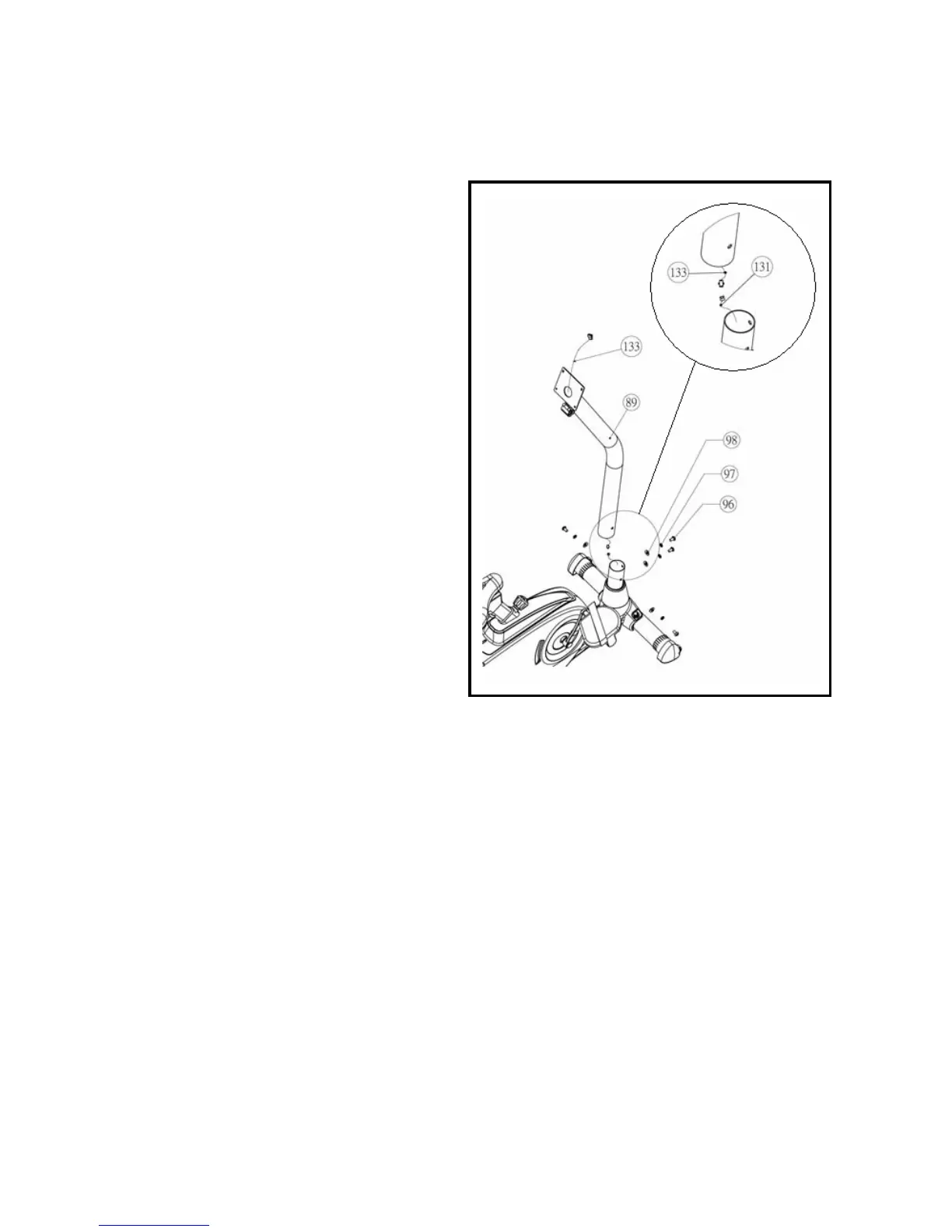
4. Install the Computer Mast
Step 4A:
As shown to the Right (inset 4A), connect wire
131 to wire 133.
4
4A
Step 4B:
As shown to the Right (fig 4), insert the mast (89)
on to the base frame. CAUTION: Do NOT
pinch wire (133) while performing this step.
Secure the mast (89) to the base using screws
(96), lock washers (97), and curved washers
(98). Tighten all 4 screws (96) securely.
11


 To Next Page