6. Connecting the Contact Heart Rate
6
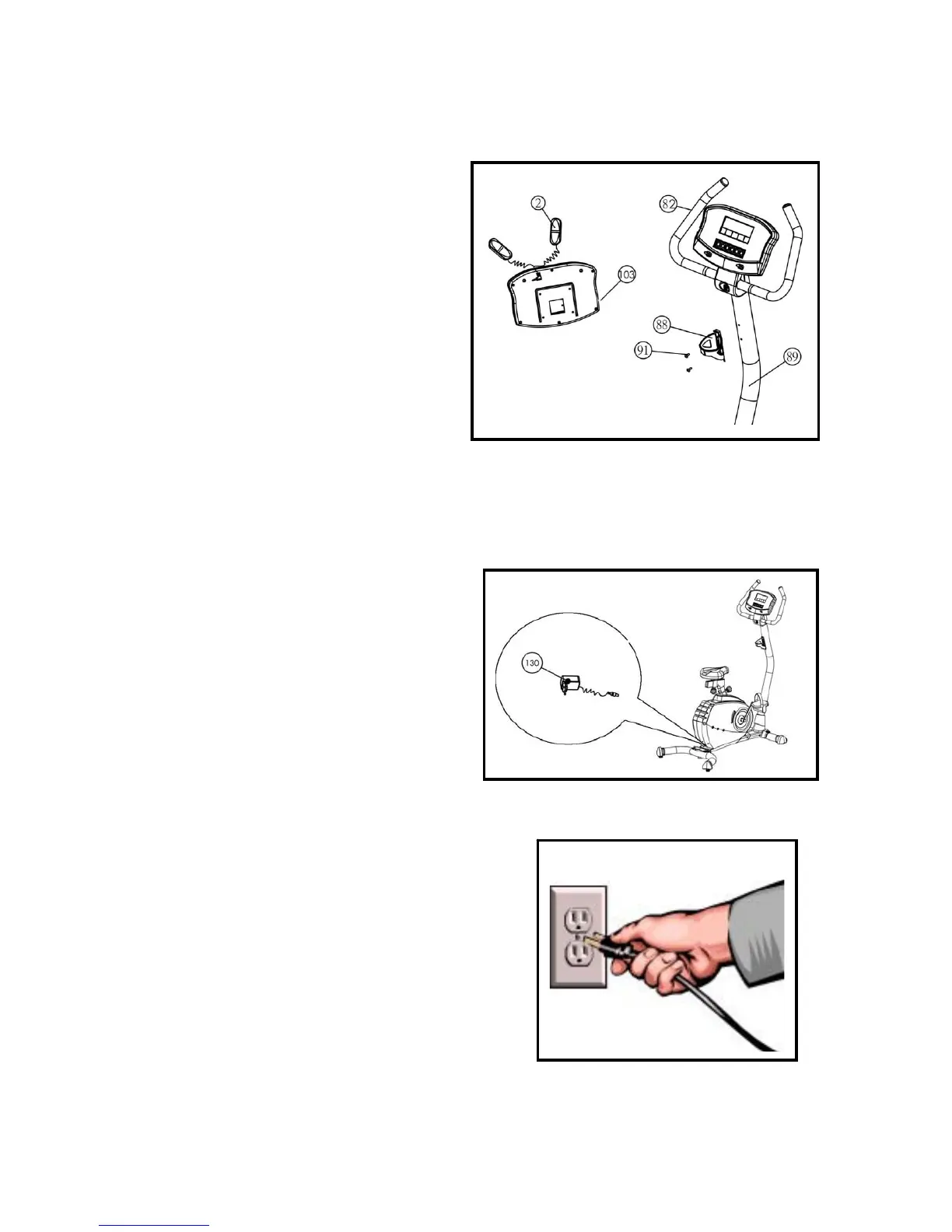
Step 6A:
Plug the contact Heart rate sensors (2) into the
jack on the back of the control panel (103). Clip
the 2 sensors on to the handle bar(82) (one on
the left & one on the right).
Step 6B:
Remove the 2 screws (91) from the mast (89).
Align the water bottle cage (88) with the holes
ion the mast (88), then install 2 screws (91).
7. Connecting the AC Adapter
Step 7B:
Plug the other end of the AC Adapter (130) into a
120 volt wall outlet then your Silver XSC is ready for
use.


 To Next Page
 Loading...