ASSEMBLY INSTRUCTIONS
STEP 13: Rotate the control panel back as
indicated below. Install the 4 screws 'H' to secure
the control panel in place. DO NOT PINCH THE
WIRES WHEN ROTATING THE CONTROL
PANEL BACK.
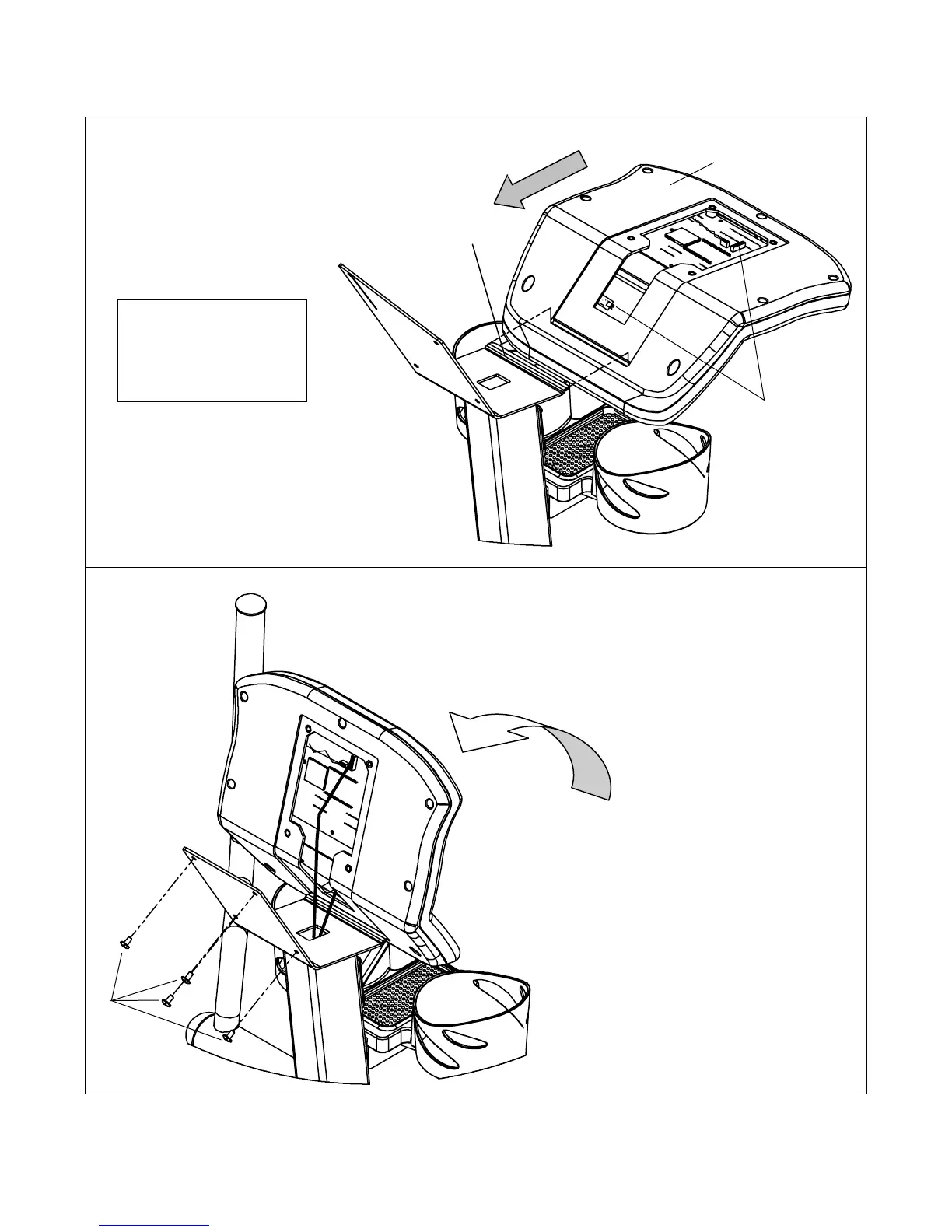
STEP 11: Slide the Control Panel on to the Lip
on the mast as shown to the right. The lip must
slide into the control panel.
Control Panel
STEP 12: Connect the 2 wires coming out
of the mast to the control panel.
13
Lip
Connect Wires Here
Control Panel
Tip: The control panel
will rest on the lip in the
upright position shown
to the right while wires
are bein
connected.
13


 To Next Page