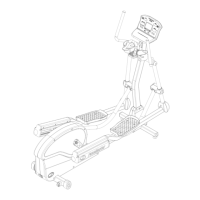
F2, F3, and F4
USING F2, F3, & F4: Each of these programmed Workouts offers 9 different levels of intensity. Additionally, workout time can be
set from 10 minutes to 2 hours in 5 minute increments.
Step One: Press and hold the
ENTER
(RESET)
button to reset the control panel.
Step Two: Stand on the foot pads of your elliptical.
NOTE: If you have set up a User ID, select it using the
USER ID
button, then press
ENTER
(RESET)
.
Step Three: Press the
PROGRAMS
button, then use buttons to select your program (F2, F3, or F4) , then
press
ENTER
(RESET)
.
If you have entered your User ID go to Step 5
Step Four: Enter your weight using the increase and decrease
buttons, and then press enter
ENTER
(RESET)
. Use the
same procedure to enter your age.
Step Five: Use the
buttons to adjust the workout time, and then press enter
ENTER
(RESET)
Step Six: Use the
buttons to adjust the workout intensity level, and then press enter
ENTER
(RESET)
Step Seven: Begin pedaling
NOTE: After allotted workout time had counted down to zero a 3 minute cool down period will follow.
Step Seven: To end your workout, either allow the timer to count down to zero or Stop pedaling, then press the
ENTER
(RESET)
button to
proceed to "Workout Summary", this will display the total time distance, calories, and Aerobic Points earned for this workout.
TIP: Use the
buttons to adjust the workout intensity level during your workout.
NOTE: After allotted workout time had counted down to zero a 3 minute cool down period will follow.
Step Eight: To end your workout, either allow the timer to count down to zero or Stop pedaling, then press the
ENTER
(RESET)
button to
proceed to "Workout Summary", this will display the total time distance, calories, and Aerobic Points earned for this workout.
TIP: During your workout you can press and hold either the
Elapsed
Remaining
Segment
or
Distance
Aerobic Pts.
Heart Rat e
Calories
button until the word “SCAn” appears in the
respective display, each value will now be displayed for 3 seconds each on a rotating cycle.
27


 To Next Page
 Loading...