USING THE CONTACT HEART RATE FEATURE
Prior to your workout:
Choose a User ID or upon entering a cardio program adjust your age and
weight, press ENTER. Follow the instructions for “During your workout”.
During your workout:
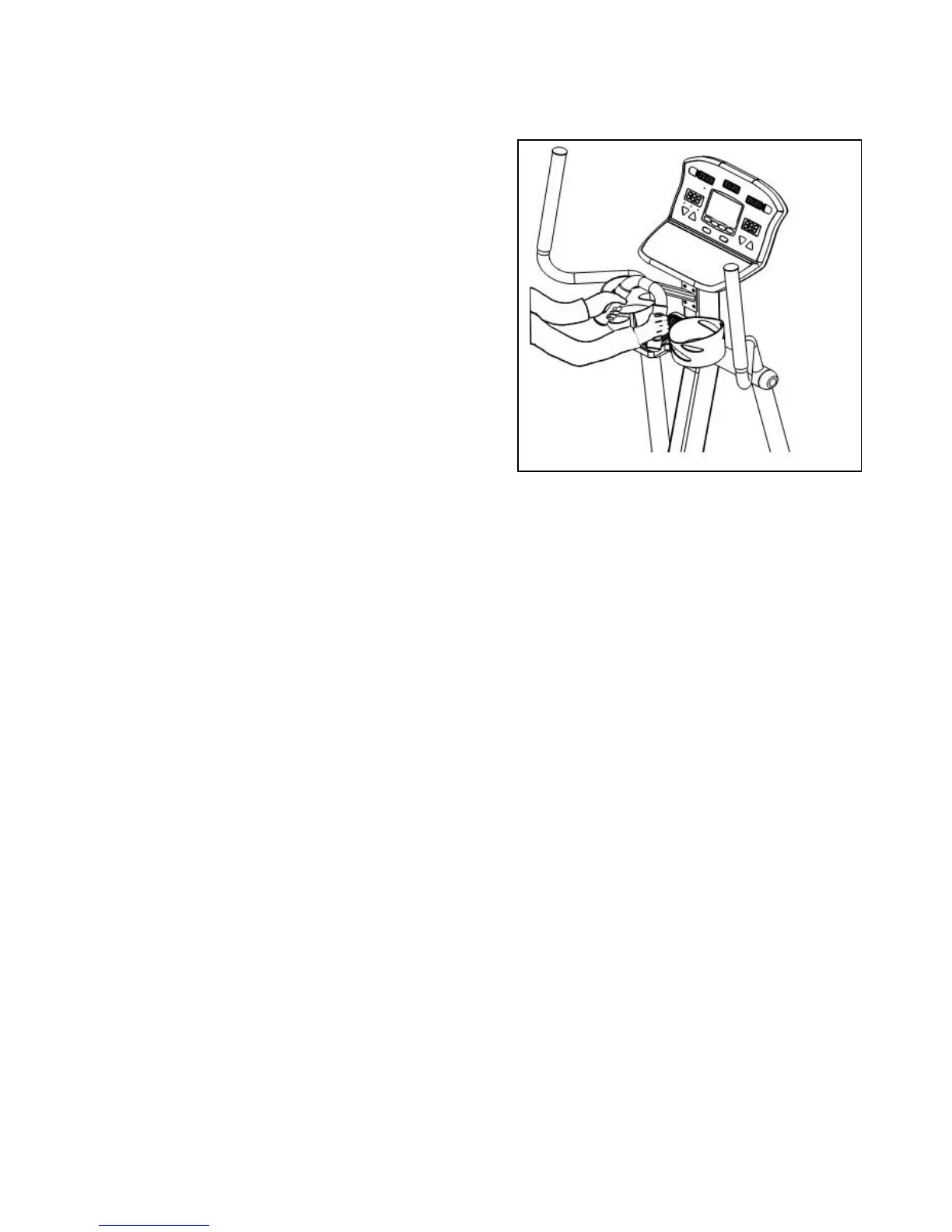
Grab on to the front bullhorn with your hands placed over the silver
contact heart rate sensors as shown in the picture to the right. Contact
must be maintained with all 4 sensors to obtain a heart rate reading.
Fours dashes will appear in the TOP RIGHT DISPLAY window indicating
that your heart rate is being acquired. This may take 20 to 30 seconds
depending on the person.
NOTE: Contact heart rate is disabled if you have activated the chest
strap receiver prior to starting a workout. As with the wireless chest
straps there is a small percentage of people that this feature may not
function for.
HEART RATE PERFORMANCE REVIEW
If you use the heart zone monitor feature C1, while wearing your wireless chest strap, and acquired your heart rate prior to beginning your
workout, you will receive the HR performance review at the end of your workout. This will be a graphic representation of your heart rate
through out your workout. This graph will be displayed in the profile window. If you spent less then 10 % of your total workout time in any
one zone, that zone will not be displayed.
29


 To Next Page
 Loading...