ASSEMBLY INSTRUCTIONS
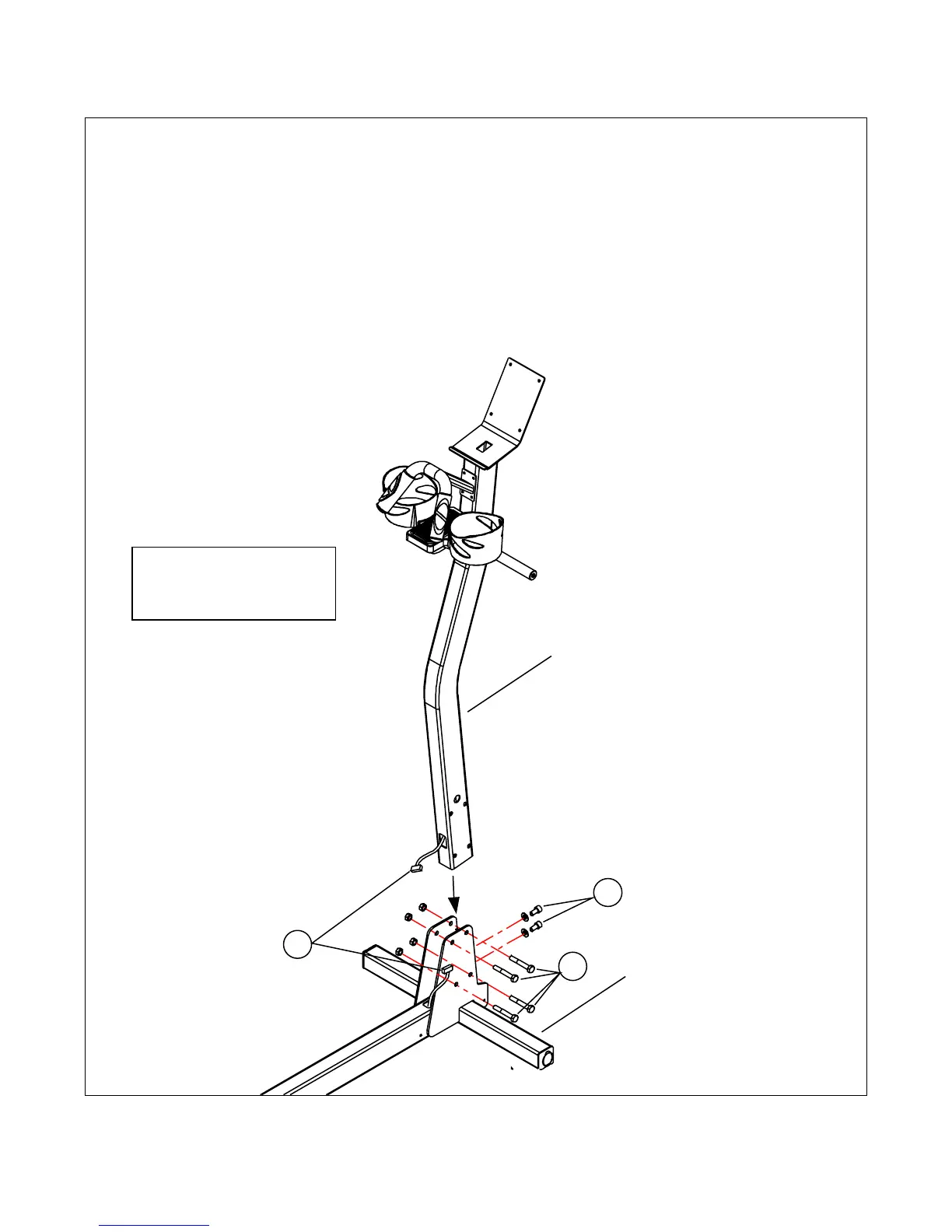
STEP 1: Loosley install the 2 screws 'F' with the 2 washers 'L'.
STEP 2: Loosley install the 4 bolts 'C' with 4 nuts 'J'.
CAUTION: Do not pinch the Mast wire when installing the 4 bolts 'J'
STEP 3: Plug the Base wire into the Mast wire (make sure you stuff the extra wire
into the Mast to ensure there will be enough wire at the top when installing the control
panel). Tighten the 2 screws 'F', then tighten bolts 'J' (installed in Steps 1 & 2)
Mast
Base
1
2
3
Note: Refer to Hardware
Legend on Page 7 for
fastener details.
8


 To Next Page