EasyManua.ls Logo

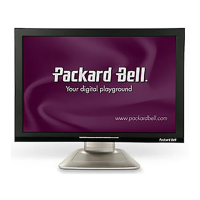
Packard Bell Viseo243D - User Manual

Packard Bell Viseo243D
27 pages
Print Icon
To Next Page IconTo Next Page
Loading...
User Guide
Packard Bell LCD Monitor

Questions and Answers

  • B
    barbarasmithJul 30, 2025
    What to do if my Packard Bell Monitor has no picture?
    • B
      brownzacharyJul 30, 2025
      If the Packard Bell monitor's LED is off, ensure the power switch is on. If the LED displays an amber color, verify that the video signal cable is properly connected at the back of the monitor. Also, make sure the AC power cord is correctly connected to the monitor and that the computer system is powered on. If the LED is on, use the OSD to adjust the brightness and contrast to maximum levels or reset them to their default settings.
  • M
    Megan BrownAug 13, 2025
    Why does my Packard Bell Viseo243D Monitor have an abnormal picture?
    • L
      Lauren BenitezAug 14, 2025
      If you're experiencing an unstable picture on your Packard Bell monitor, check that the specifications of the graphics adapter and monitor are compatible to avoid input signal frequency mismatch. If the display is missing, shifted, or the size is incorrect, use the OSD to adjust RESOLUTION, CLOCK, CLOCK-PHASE, H-POSITION, and V-POSITION, especially with non-standard signals. In case of a missing full-screen image, use the OSD to select another resolution or vertical refresh timing. After adjusting the image size, wait a few seconds before changing the signal cable or turning off the monitor.

Summary

Information for your safety and comfort

Safety instructions

General safety guidelines and warnings for product usage.

Accessibility and Safety Precautions

General Safety Warnings

Crucial warnings regarding water, placement, ventilation, and electrical hazards.

Electrical Power Usage

Instructions on connecting and using the monitor with electrical power safely.

Product Servicing

Servicing Guidelines

Instructions on when to seek professional service for the monitor.

Environmental and Safety Information

Potentially Explosive Environments

Safety precautions for operating the device in hazardous atmospheres.

Monitor Characteristics and Usage Tips

Vision Care and Work Habits

Taking Care of Your Vision

Suggestions for reducing eyestrain during prolonged monitor use.

Physical Setup

Connection and Safety

Connecting the Power Cord

Steps for connecting the monitor to a power source.

Safety Precautions

Important warnings to prevent damage or hazards during monitor use.

Cleaning Your Monitor

Connector Pin Assignments

Installation Guide

User Controls and Functions

Base Controls Overview

Description of the physical buttons on the monitor base.

eColor Management

Adjusting OSD Settings

Adjusting Picture Quality

How to adjust brightness, contrast, color, and auto configuration.

Adjusting OSD Position

Adjusting General Settings

Adjusting System Settings

How to change Wide Mode, DDC/CI, ACM, Input, Language, and Reset.

Product Information Display

Troubleshooting (VGA Mode)

Troubleshooting (DVI Mode)

Packard Bell Viseo243D Specifications

General IconGeneral
Screen Size24 inches
Resolution1920 x 1080 pixels
Panel TypeTN
Refresh Rate60 Hz
Response Time5 ms
Brightness250 cd/m²
Contrast Ratio1000:1
ConnectivityVGA, DVI
Aspect Ratio16:9
Viewing Angle170° (H) / 160° (V)
Input Ports1 x VGA, 1 x DVI
Power Consumption25W (typical)

Related product manuals