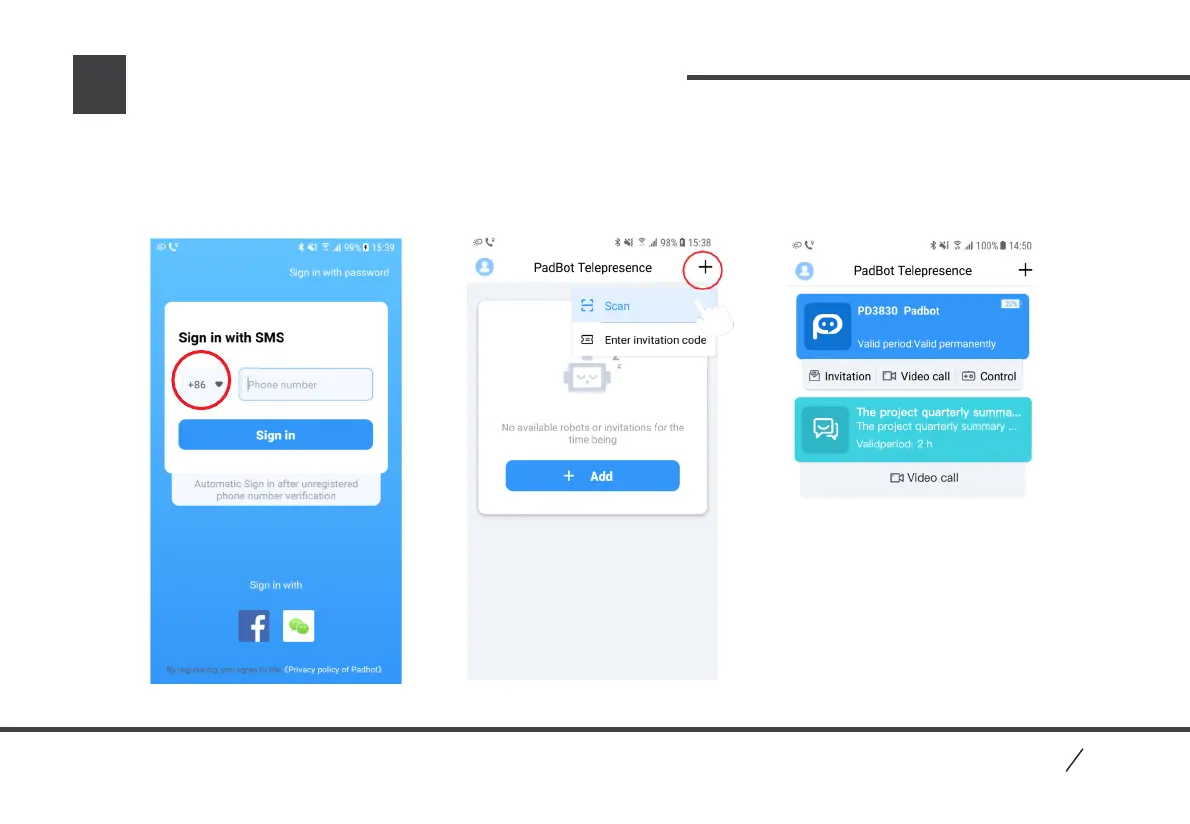
How to use PadBot Telepresence Admin App
Log in Page Main Interface
10
PadBo t
1. Open PadBot Telepresence Admin App, log in with phone number.
2. After log in, click “+” icon in Main Interface, find “Scan” option to add robot or add a specific video
invitation into list. Scan QR Code in Main Interface to become the administrator of robot, or scan invitation
Code to accept video invitation.
Main Interface
P2


 To Next Page