PadBot Telepresence Admin--Video Call
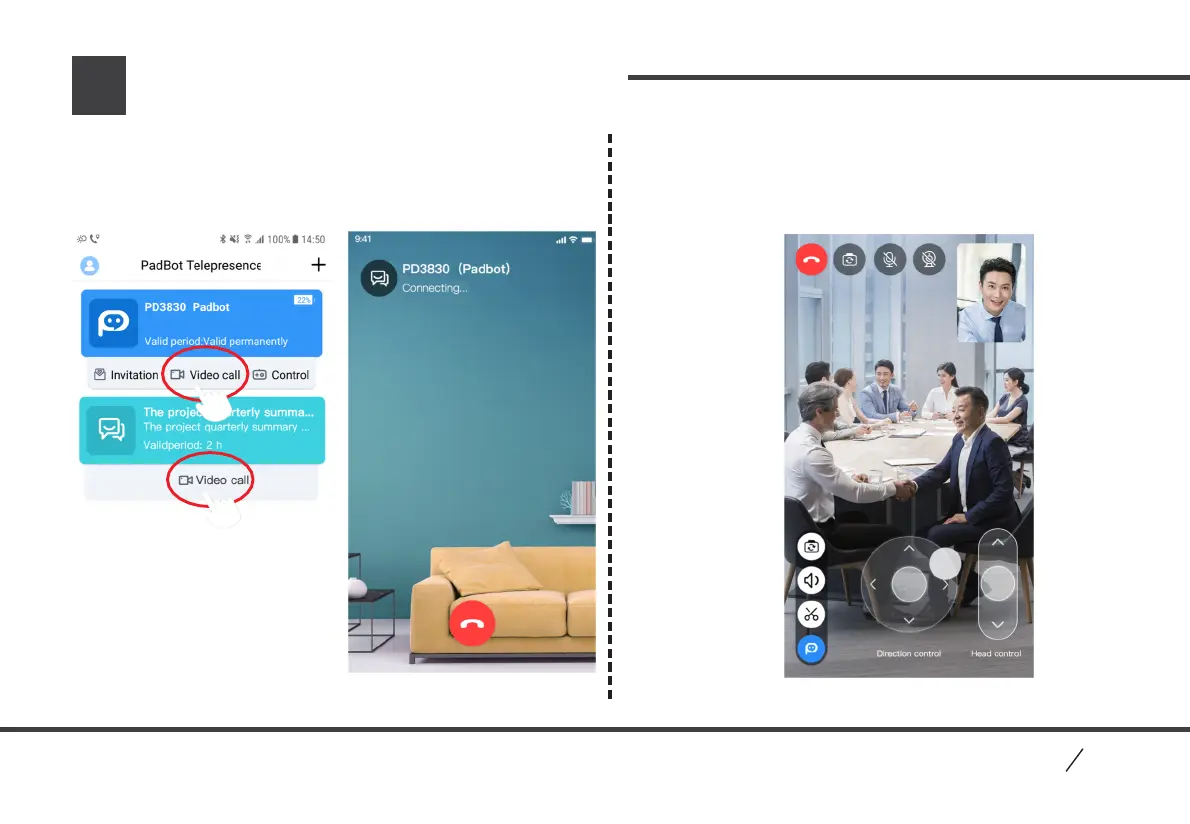
2. After video connecting successfully, user can control
robot to look up or down, move forward or backward,
turn right or left; click buttons in left bottom to switch
views, adjust volumes, etc.
Main Interface
Video Connecting Interface
Video Chat Interface
1. In main interface, click “ Video Call” button in robot
(as administrator) or “Video Call” button in meeting list
(as participant) to start video chat, and control robot to
move around after connecting successfully.
12
PadBo t
P2


 To Next Page