08
PadBo t
PadBot Telepresence Robot App--Robot Settings
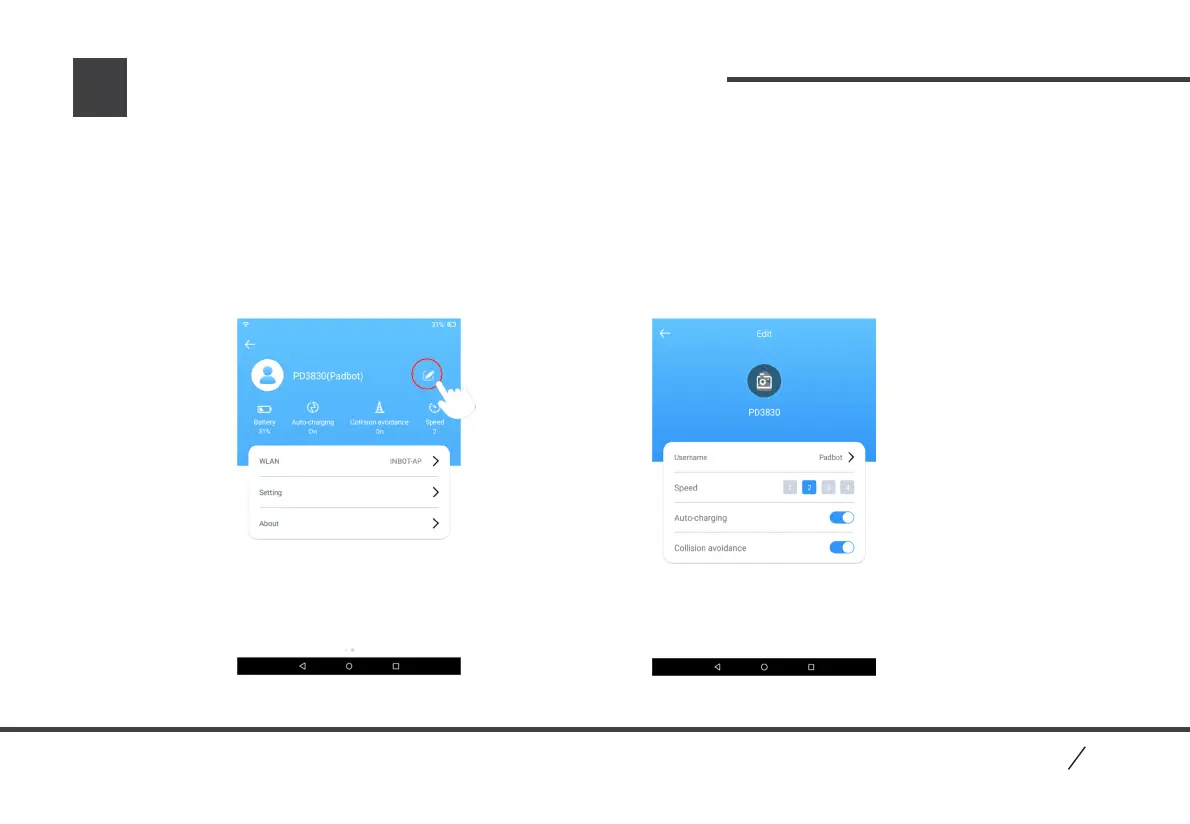
1.In Robot Info page, click edit button to enter into Settings page.
2.Robot speed: there are 4 speed levels available, the higher level, the quicker speed.
3.Auto Charge: open auto charge function. When robot battery lower than 10%, robot will find nearby Charging
Base to charge itself automatically. Please close this function if no Charging Base available.
4.Collision Prevention: after open this function, robot will detect obstacles automatically during moving, and if
there are obstacles, robot will show obstacles’ place and stop.
Robot Info Page Robot Settings Page
P2


 To Next Page
 Loading...