1-800-263-9768 paderno.com
9
11. Preheating:
The deep fryer will begin
preheating the oil to the selected
temperature 5 seconds after the
selection is made. The thermometer
icon will blink and the selected
temperature (Fahrenheit) will
remain steady. The segments will
read “PRE” to indicate that the deep
fryer is in the process of preheating.
During heating, thermometer icon
is solid and preset temperature
value lashes.
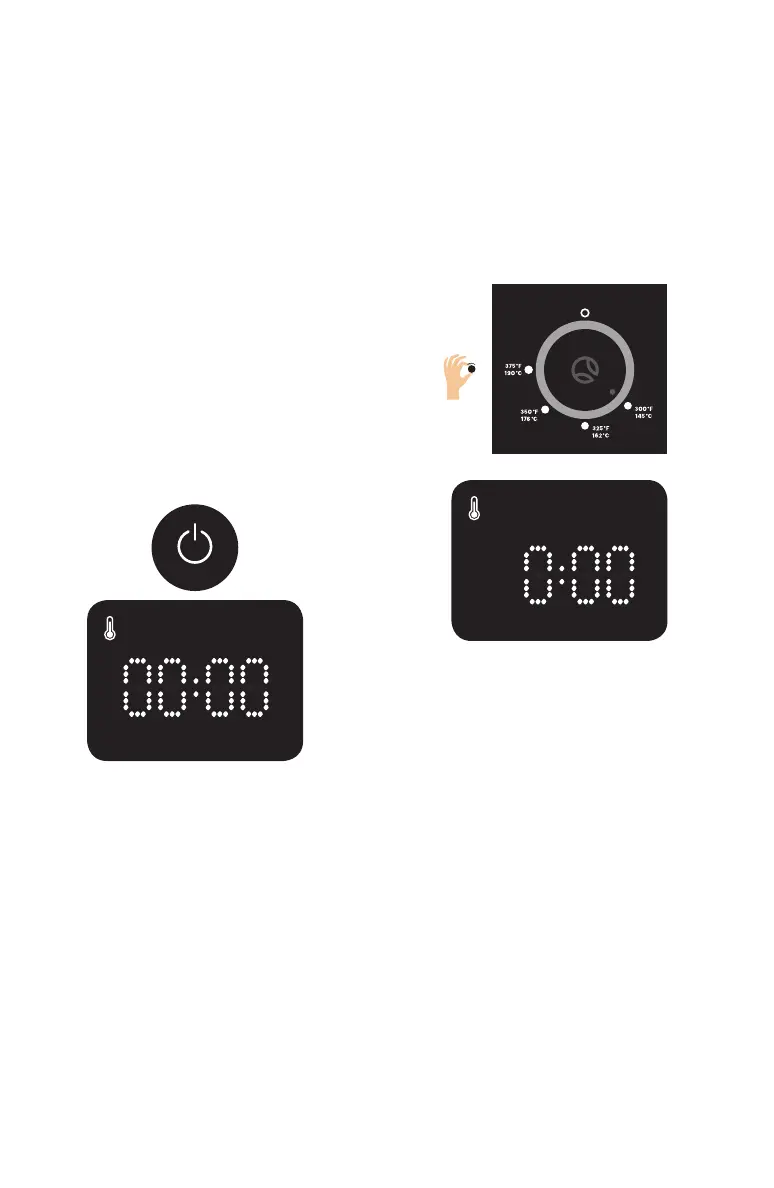
9. Power-on Mode:
When power button is pressed
and held for 1 second, the power
button and “0:00” light up. All
other buttons and icons light up
for 1 second. Deep Fryer is then
ready to use. If temperature setting
is already selected using the dial
prior to plugging the appliance in,
proceed to preheating process.
10. Setting the Temperature:
Turn the Dynamic Control Dial to
select a temperature setting. The
temperature icon appears when
the dial is turned from 0. The user
can choose from 4 temperature
settings: 300, 325, 350 and 375°F.
The temperature will blink for 5
seconds and then proceed to
preheating process.
Fig. 10
Fig. 9
300°F 325°F 350°F 375°F


 To Next Page