
 Need help?
Do you have a question about the PageFlip Butterfly Bluetooth Pedal and is the answer not in the manual?
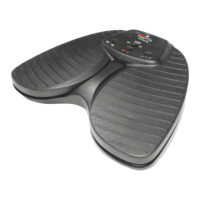
Identifies and describes the main physical components and controls of the PageFlip Butterfly pedal, including switches, buttons, and lights.
Explains how to select modes for emulating keyboard or mouse commands and lists available modes.
Details how the pedal enters and resumes from sleep mode after periods of inactivity.
Covers low battery indication and controlling the virtual keyboard on an iPad.
Provides details on the one-year limited warranty, product support, and contact information.
Statement of compliance with EU Directive 2014/53/EU for radio system types.
 General
| Connectivity | Bluetooth |
|---|---|
| Battery Life | Up to 200 hours |
| Power Source | 2 AA batteries |
| Pedals | 2 |
| Range | Up to 30 feet |
| Material | Plastic |
| Compatibility | iOS, Android, Mac |

 To Next Page