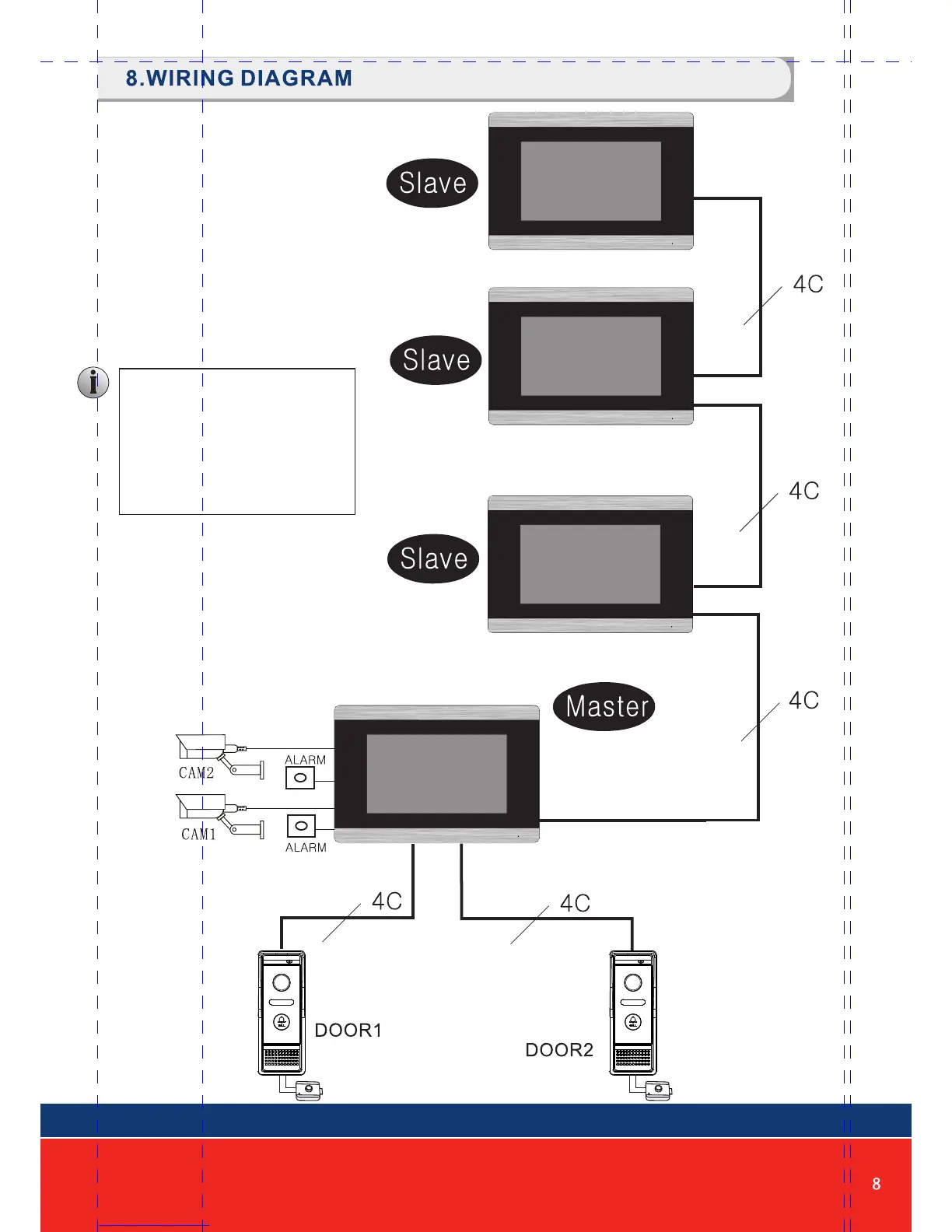
First monitor must be set as
MASTER. All other monitors
must be set as SLAVE. This
can be done in the SETTINGS
menu.
MONITOR ID SETTING
Master=01, Slave=02 to 06
Note:
HD Monitor can accept AHD or CVBS
analog signals. If using HD monitor with
CVBS analog door station, you must
reboot the monitor from the menu
system after connecting the camera.


 To Next Page