19/49
操 作 仕 様 書
Operation
Specification
Brightness調整
SCROLL
<初期値>
/Brightness adjustment
TUNE
・
DAY設定(ディマーOFF時) : 0
・
NIGHT設定(ディマーON時) : 0
<設定範囲>
・
-8~0~+8までの17step
<動作条件>
・
Brightness調整モード時
※カメラモード時の設定はカメラモードのメニュー
にて行う
<動作詳細>
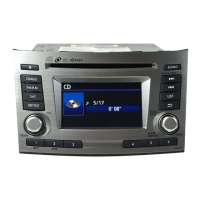
TUNEノブを回す事により画面の明るさの調整が可能。
・ 右方向に回す ⇒ 設定値の増加
・ 左方向に回す ⇒ 設定値の減少
・ ディマーの状態でDAY/NIGHT個々の設定が保存できる
・ディマーON中にDAY時の明るさを調整する
・ディマーOFF中にNIGHT時の明るさを調整する
・
調整中は現在の設定値を表示する。
・ モード変更後も設定値を保持する。
<解除条件>
以下の条件にて、調整モードを解除する
・ BACK釦押下
・
PWR off
・
ACC off
<Initial Value>
・
DAY setting(At the dimmer OFF) : 0
・
NIGHT setting(At the dimmer ON) : 0
<Setting range>
・
17steps ( -8 ~0~+8)
<Operation condition>
・ At the Brightness adjustment mode
※The setting at the camera mode sets by the menu
of the camera mode.
<Detail Operation>
The brightness of the screen can be adjusted by turning
the TUNE knob.
・
Turn TUNE Knob clockwise ⇒ An increase in set value
・
Turn TUNE Knob counter-clockwise ⇒ An decrease in set value
・ The individual DAY/NIGHT setting can be preserved in the state
of the dimmer.
・The brightness at 'DAY' is adjusted in dimmer ON.
・The brightness at 'NIGHT' is adjusted in dimmer OFF.
・ A present set value is displayed while adjusting it.
・ After the mode is changed, a set value is maintained.
<Conditions subsequent>
The adjustment mode is released on the following conditions.
・ BACK button pressing
・ PWR off
・ ACC off
13
パナソニック株式会社 / Panasonic Corporation


 To Next Page
 Loading...