32/49
1
例/Example
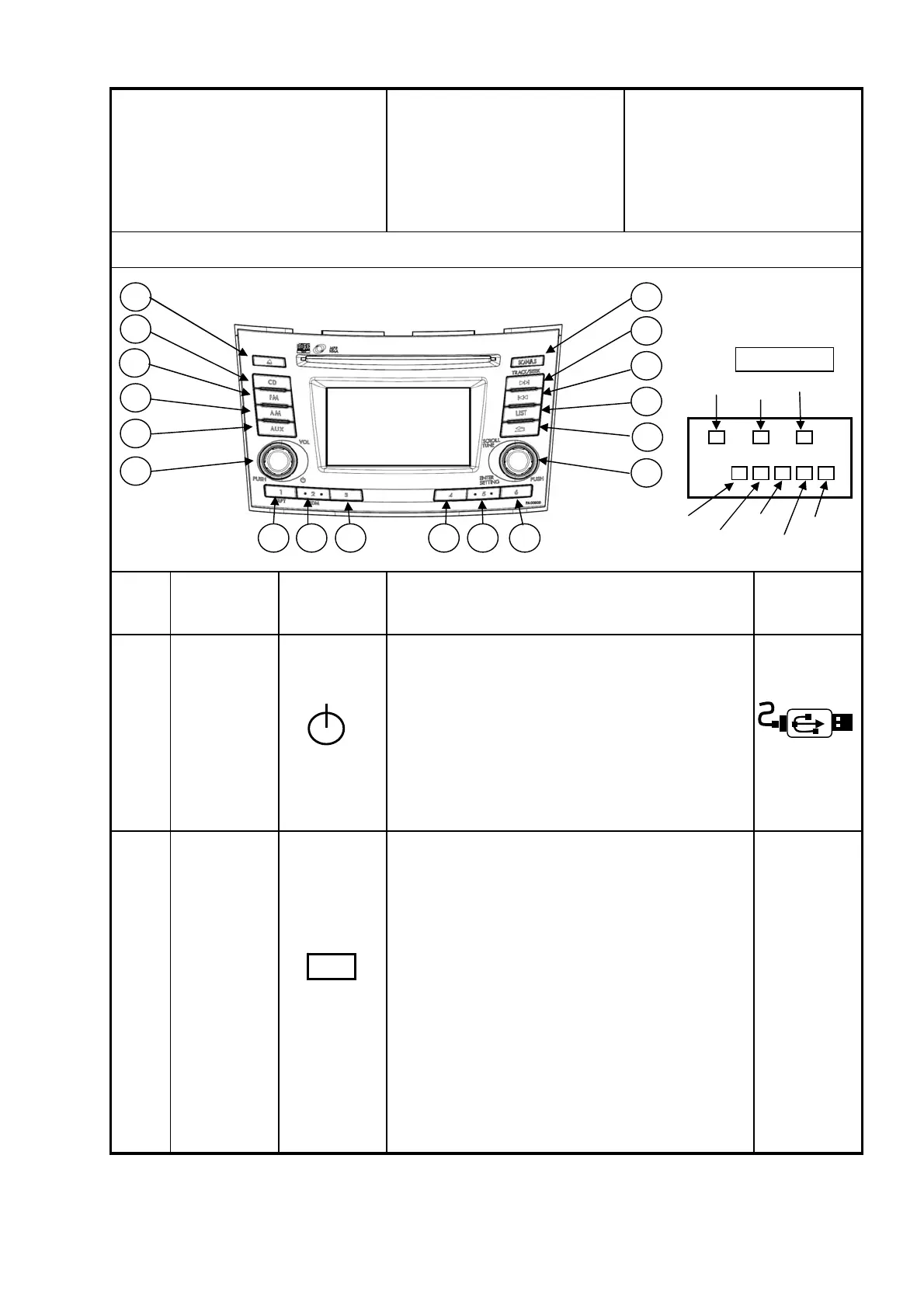
・USBモード時以外、⑬を押すことによりUSBモードに切
り替わる
(USBメモリまたはiPod接続で、かつラストモードがUSB
モードの場合)。
・PWR OFFモード時、⑬を押すことによりUSBモードに切
り替わる
(USBメモリまたはiPod接続で、かつラストモードがUSB
の場合)。
・It changes to USB mode by pushing ⑬ except USB
mode.
(When a USB memory or iPod is connected, and
previous mode is USB mode).
・It changes into USB mode by pushing ⑬ in the
POWER OFF mode.
(When a USB memory or iPod is connected, and
previous mode is USB mode).
操 作 仕 様 書
Operation
Specification
5. USB
2
USB電源
USB
Power supply
USBモード
モード切替
USB Mode
Mode Change
項目
No.
操作機能
Operation Function
ESC/釦の表示
Indication on
ESC/Buttons
ディスプレイ仕様
Display
Specification
動 作 仕 様
Operation Specification
例/Example・電源OFF時、USBメモリまたはiPod接続状態で①を押すと
USBモードとなる。
(ラストモードがUSBモードの場合)
・At the time of the power supply OFF, if ① is pushed in
the state of a USB memory or iPod connection, it will
become USB mode.
(When last mode is USB mode)
ST⑤
8
2
9
3
4 5 6
7
14
15
16
17
18
1
10
11
12
13
Steering SW
ST①
ST②
ST③
ST④
ST⑥
ST⑦
ST⑧
PUSH
VOL
AUX
パナソニック株式会社 / Panasonic Corporation



 To Next Page