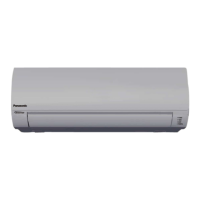
This document provides operating instructions for the Panasonic Air Conditioner, models CS-U9XKH-8, CS-U12XKH-8, CS-U18XKH-8, CS-U24XKH-8 (Indoor Units) and CU-U9XKH-8, CU-U12XKH-8, CU-U18XKH-8, CU-U24XKH-8 (Outdoor Units). It covers basic operation, safety precautions, maintenance, and troubleshooting.
Function Description
The Panasonic Air Conditioner is designed to provide fast cooling and maximum comfort with optimal energy-saving methods. It incorporates nanoe™ X and nanoe™-G TECHNOLOGY for a fresher and cleaner environment. The unit can be operated via a remote control within 8 meters of the indoor unit's receiver.
Operating Modes:
- iAUTO-X: Provides fast cooling, ideal for hot days.
- COOL: Offers efficient and comfortable cooling.
- DRY: Operates at a low fan speed for gentle cooling.
- ECO: Reduces power consumption for better energy saving without sacrificing comfort. This function cannot be activated during iAUTO-X mode.
- QUIET: Reduces airflow noise for a quieter operation.
- SLEEP: Provides a comfortable sleeping environment by automatically adjusting the temperature over time. This function can be set with a timer.
Airflow Direction:
The unit features adjustable airflow direction. The horizontal flap can be fixed at a middle position or swing up/down automatically depending on the mode and temperature. In iAUTO-X mode, the horizontal flap swings up/down at a predetermined position and fixes at the upper position once the temperature is achieved.
Auto Restart Control:
After a power failure, the unit automatically restarts with the last operation mode and airflow direction. This control is not applicable when a timer is set.
nanoe™ X Filter Deactivation:
This feature activates once a day after the unit is turned off (standby mode) to remove viruses/bacteria. The flap opens slightly with low fan speed for 2.5 hours in COOL/DRY mode, or 2 hours in nanoe™ TECHNOLOGY mode. The operation completes when the fan stops and the flap closes. It will not resume after a power failure.
Important Technical Specifications
Temperature Range:
- COOL Mode:
- Indoor Unit: Max. 32°C (89.6°F) DBT / 23°C (73.4°F) WBT; Min. 16°C (60.8°F) DBT / 11°C (51.8°F) WBT
- Outdoor Unit: Max. 46°C (114.8°F) DBT / 26°C (78.8°F) WBT; Min. 16°C (60.8°F) DBT / 11°C (51.8°F) WBT
Refrigerant:
The appliance is filled with R32 (mild flammable refrigerant). Installation and servicing must be carried out by trained and certified personnel. Special piping and tools may be required for R32 models, especially when replacing R22 models. The charging port thread diameter for R32 and R410A is 1/2 inch.
Remote Control:
- Uses 2 AAA or R03 batteries.
- Allows setting of desired temperature (16.0°C ~ 30.0°C / 60°F ~ 86°F).
- Temperature unit can be switched between °C and °F by pressing the SELECT button for approximately 10 seconds.
- Timer function allows setting ON/OFF times at two different presets, repeating daily.
Usage Features
Quick Guide:
- Inserting Batteries: Pull the back cover of the remote control, insert AAA or R03 batteries, and close the cover.
- Clock Setting: Press CLOCK, then use the up/down arrows to set the time. Press SET to confirm. Pressing CLOCK for 5 seconds toggles between 12-hour (am/pm) and 24-hour formats.
Basic Operation:
- Start/Stop: Press OFF/ON to start or stop the unit.
- Mode Selection: Press MODE to select the desired operation mode (iAUTO-X, COOL, DRY).
- Temperature Adjustment: Press TEMP UP or TEMP DOWN to set the desired temperature.
Advanced Features:
- iAUTO-X (Strong Cool): Automatically reduces the temperature by 2°C (4°F) from the set temperature to accelerate room cooling. Fan speed is set to AUTO and cannot be changed. After a maximum of 4 hours, the unit returns to the last set temperature. To reactivate, press iAUTO-X again.
- ECO Function: Activated by pressing ECO. Press again to cancel.
- QUIET Function: Activated by pressing FAN SPEED/QUIET until the quiet mode is selected.
- nanoe™ X / nanoe™-G Technology: Automatically starts when the unit is turned on. Can be manually turned ON or OFF. Operates even when the unit is OFF, with flap and fan speed following remote control settings. Resumes immediately after a power failure.
- Sleep Timer: Provides a comfortable sleeping environment by automatically adjusting the temperature. Can be set with the ON/OFF timer.
Timer Setting:
- Select TIMER ON or TIMER OFF.
- Set the desired time using the up/down arrows.
- Confirm with SET.
The nearest timer setting will activate in sequence and repeat daily. To cancel, select the timer setting and press CANCEL.
Maintenance Features
Cleaning the Air Conditioner:
Regular cleaning ensures optimal performance and prevents malfunctions.
- Indoor Unit: Wipe gently with a soft, dry cloth. Clean coils and fans periodically by an authorized dealer.
- Outdoor Unit: Clean debris from the surround unit. Clear any blockage from the drain pipe.
- Front Panel: Wash gently and dry.
- Removing Front Panel: Raise the panel, then slide the front panel to the right and pull out.
- Closing Front Panel: Hold horizontally, match and push in, then close down. Press both ends and center of the front panel.
- Air Filters: Clean every two weeks.
- Wash/rinse filters gently with water to avoid damaging them.
- Dry filters thoroughly in a shade, away from fire or direct sunlight.
- Replace any damaged filters.
- Removing Air Filter: Remove from the unit.
- Attaching Air Filter: Insert into the unit.
- nanoe™-G Generator: Clean every two weeks with a dry cotton bud. Do not touch during operation.
Important Cleaning Precautions:
- Before cleaning, switch off the power supply and unplug the unit.
- Do not touch the aluminum fin as the sharp parts may cause injury.
- Do not use benzene, thinner, or scouring powder.
- Use soap (pH 7) or neutral household detergent only.
- Do not use water hotter than 40°C / 104°F.
Seasonal Inspection (after extended non-use):
- Check batteries.
- Check for obstructions around air inlets and outlet vents.
- Use AUTO OFF/ON on the unit to select COOL mode. After 15 minutes, a temperature difference of ≥ 8°C / 14.4°F between air inlet and outlet vents is normal.
- Activate nanoe™ TECHNOLOGY mode for 2-3 hours to remove moisture from internal parts to prevent mold growth.
- Turn off power supply, unplug the unit, and remove batteries from the remote control for extended storage.
Troubleshooting:
The manual provides a list of symptoms and their causes, along with checks to perform. It also includes a list of diagnostic error codes (H00 to F99) that can be retrieved from the remote control if the unit stops and the TIMER indicator blinks. For non-serviceable criteria (abnormal noise, water leakage, circuit breaker trips, warm power cord, non-functioning switches), turn off the power supply, unplug the unit, and consult an authorized dealer.

 Need help?
 General


 To Next Page