22
English
1
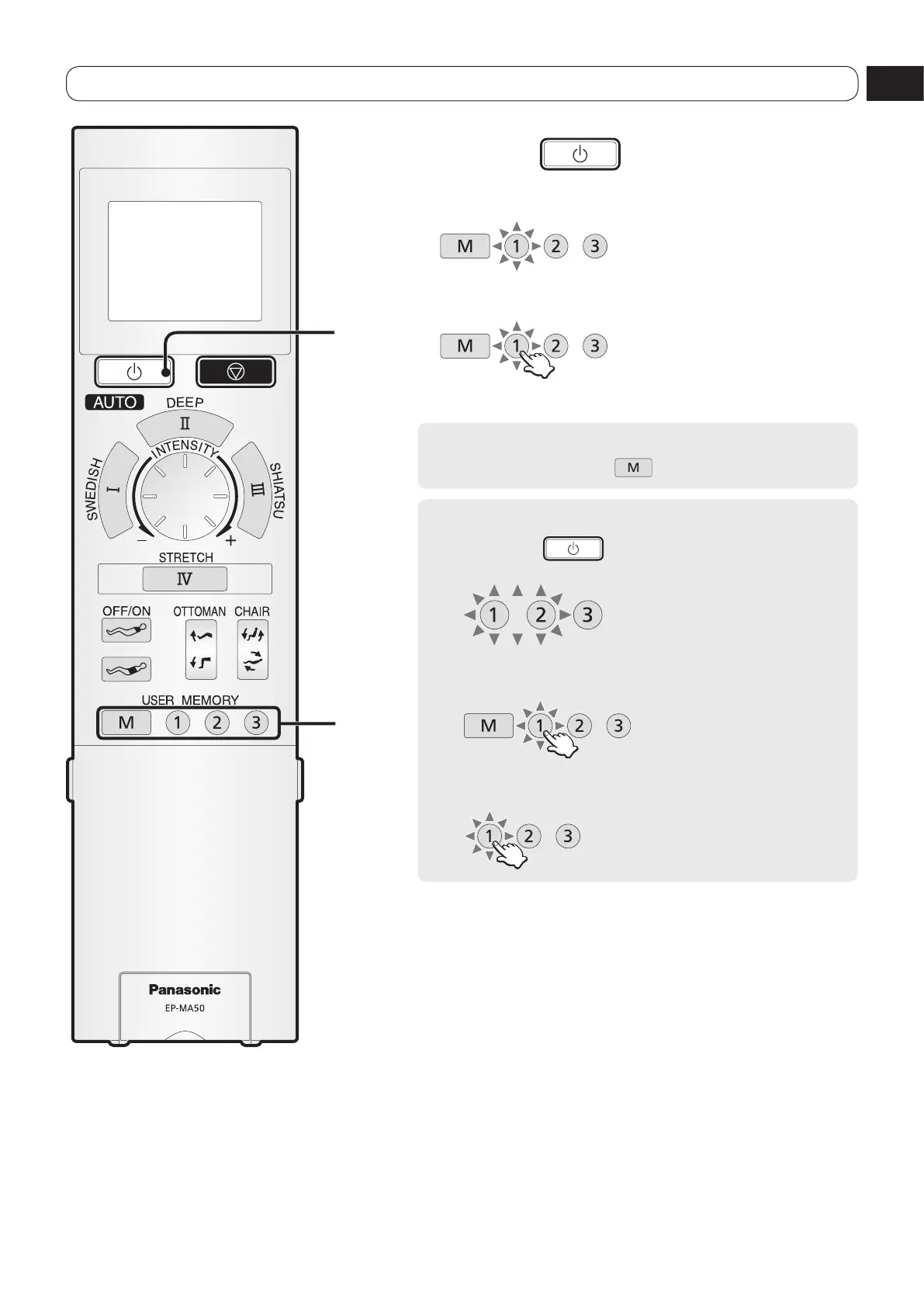
Press the button to turn on the
power.
The registered button will flash.
2
Select your favorite program.
Press
Massage for the registered program will start after the body
scanning.
To change and overwrite the registered settings
Press button.
To delete the registered settings
1
Press the button to turn on the power.
The registered button will flash.
2
Press the button you want to delete for more than
3 seconds.
Press
3
Press again if only the pressed button changes to
flashing.
Press
Delete is completed once
the flashing stops.
To start the registered program


 To Next Page