25
English
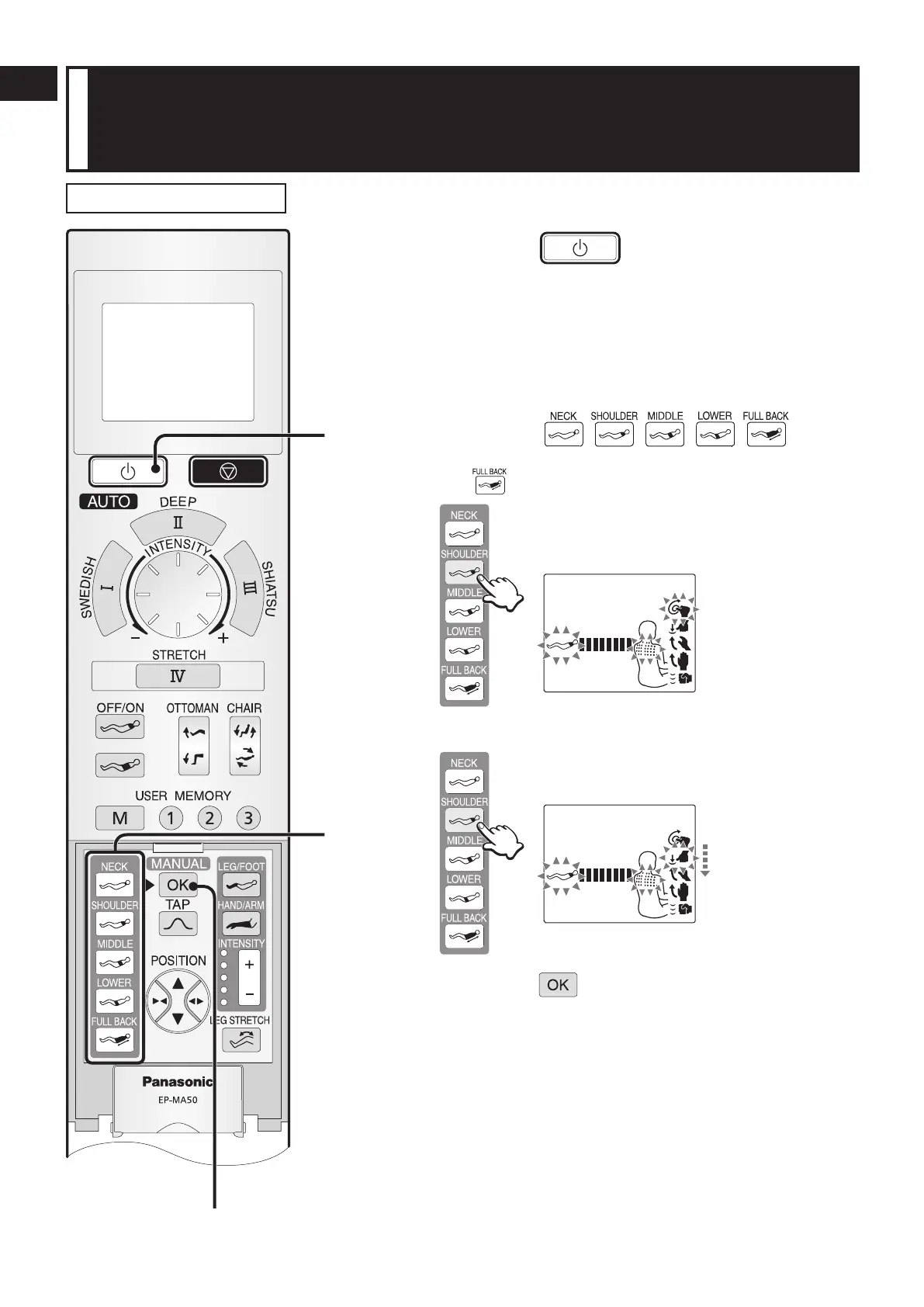
When you want a concentrated massage of a particular
body part with a specific massage mode, such as
“Kneading on the Neck” or “Tapping on the Shoulder”
Manual Operation
1
Press the button to turn on the
power.
The power will turn off automatically if the massage does not start
within 3 minutes after turning on the power.
2
Open the cover.
3
Select the part of body you want to
massage (
).
You can select an action combined with “FULL ROLL” by pressing
the
button.
List of massages operation display that can be
selected is displayed.
(Example) When “SHOULDER” is selected
•
4
Select the massage operation you prefer.
Massage operation display will change every time
the button is pressed.
The one flashing is the currently selected operation.
•
•
5
Press the button to start the action.
The massage heads will move to selected position automatically
to start the massage after the body scanning is completed.
•
•
•


 To Next Page