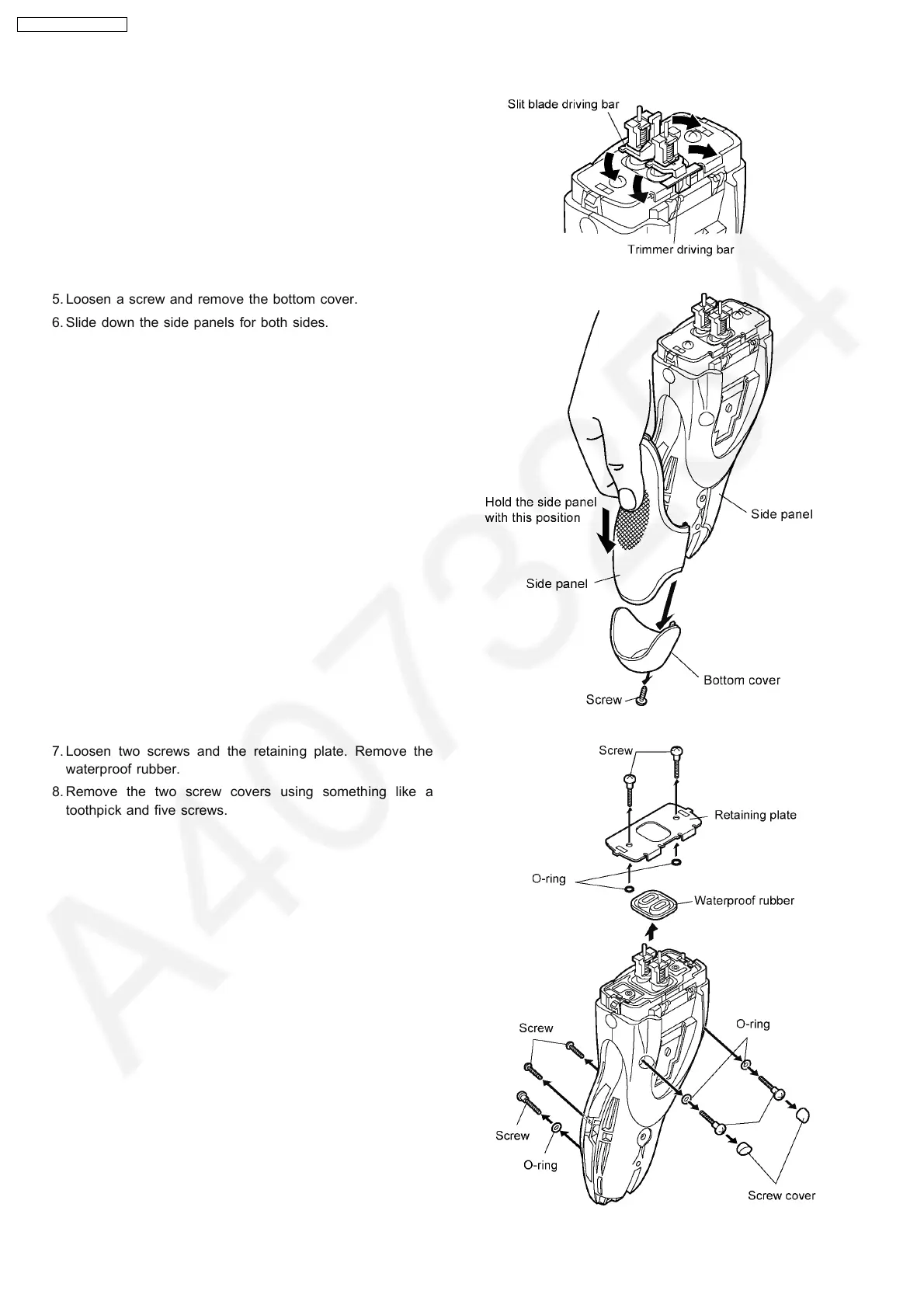
4. To remove the trimmer driving bar or the slit blade driving
bar, press bars outward.
5. Loosen a screw and remove the bottom cover.
6. Slide down the side panels for both sides.
7. Loosen two screws and the retaining plate. Remove the
waterproof rubber.
8. Remove the two screw covers using something like a
toothpick and five screws.
4
ES7026-A3 / ES7027-A3



 To Next Page