English
7
Assembling / Removing the pedestal
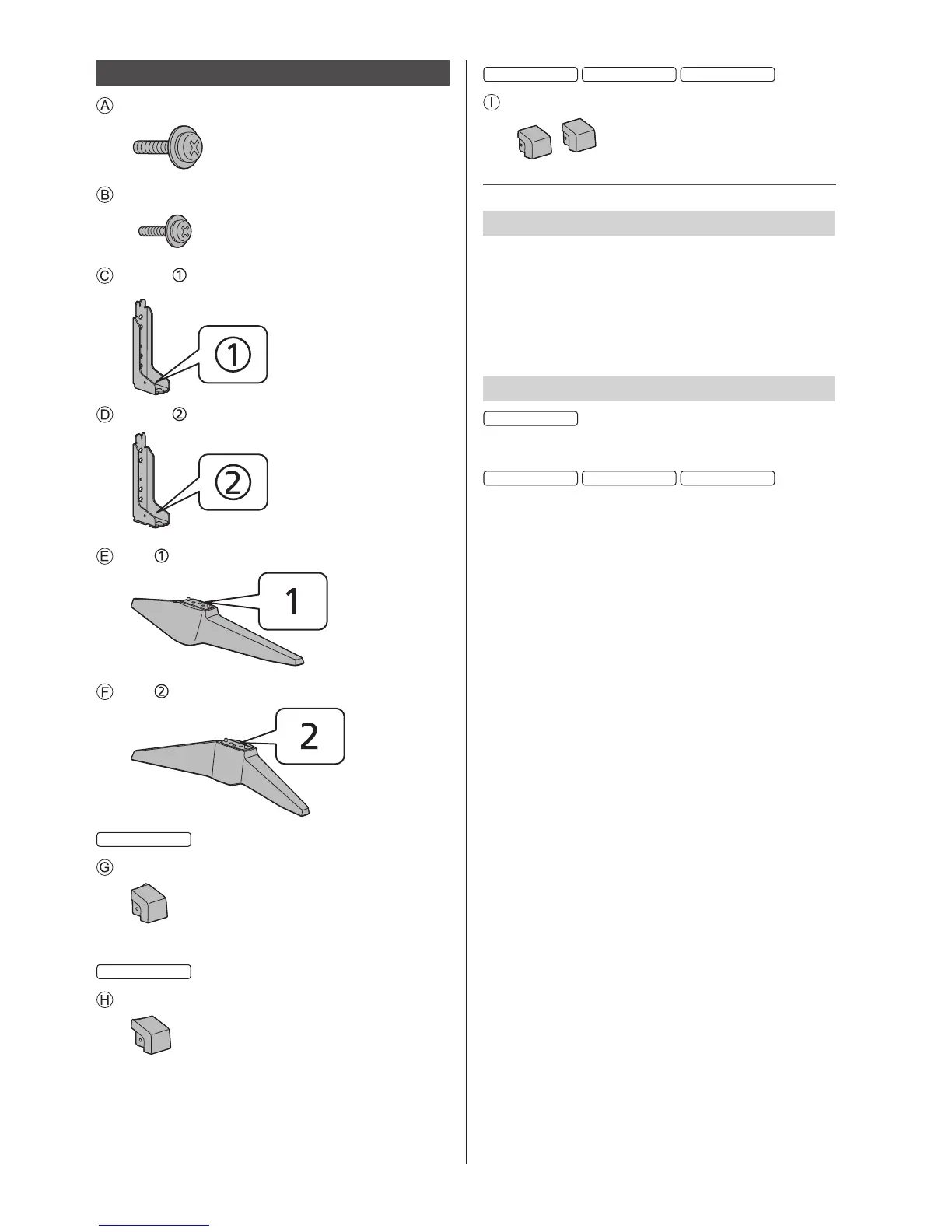
Assembly screw (4)
M5 × 14
Assembly screw (4)
M4 × 12
Bracket
Bracket
Base
Base
Cover (L)
“L” is marked on the inside.
Cover (R)
“R” is marked on the inside.
Cover (2)
Preparations
Take out the pedestal and the TV from the packing case
and put the TV onto a work table with the screen panel
down on the clean and soft cloth (blanket, etc.)
●
Use a flat and firm table bigger than the TV.
●
Do not hold the screen panel part.
●
Make sure not to scratch or break the TV.
Assembling the pedestal
●
Select a method to assemble the pedestal from the
following 2 styles.
●
Select a method to assemble the pedestal from the
following 4 styles.
●
Do not assemble the pedestal by any method other
than those specified below.










 To Next Page