10
影像播放 Playback
請先按下主機按鍵 停止錄影,並按下主
機按鍵 進入設置並選擇影片播放。
Please Press to stop recording then Press
the button to enter“Settings”and choose
Playback .
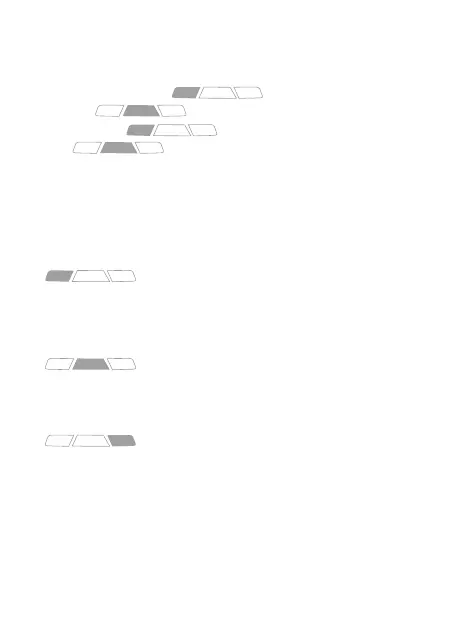
播放模式下,可長壓按鍵切換到各模式。
Playback mode can be long press to return to each mode.
長按主機左按鍵,可進入錄影模式。
One long Press and device will be back to
Recording Mode.
長按主機中間按鍵,可重啟主機。
One long Press and device will be turn
on/o device.
長按主機右按鍵,返回播放清單。
One long Press to playlist mode.


 To Next Page