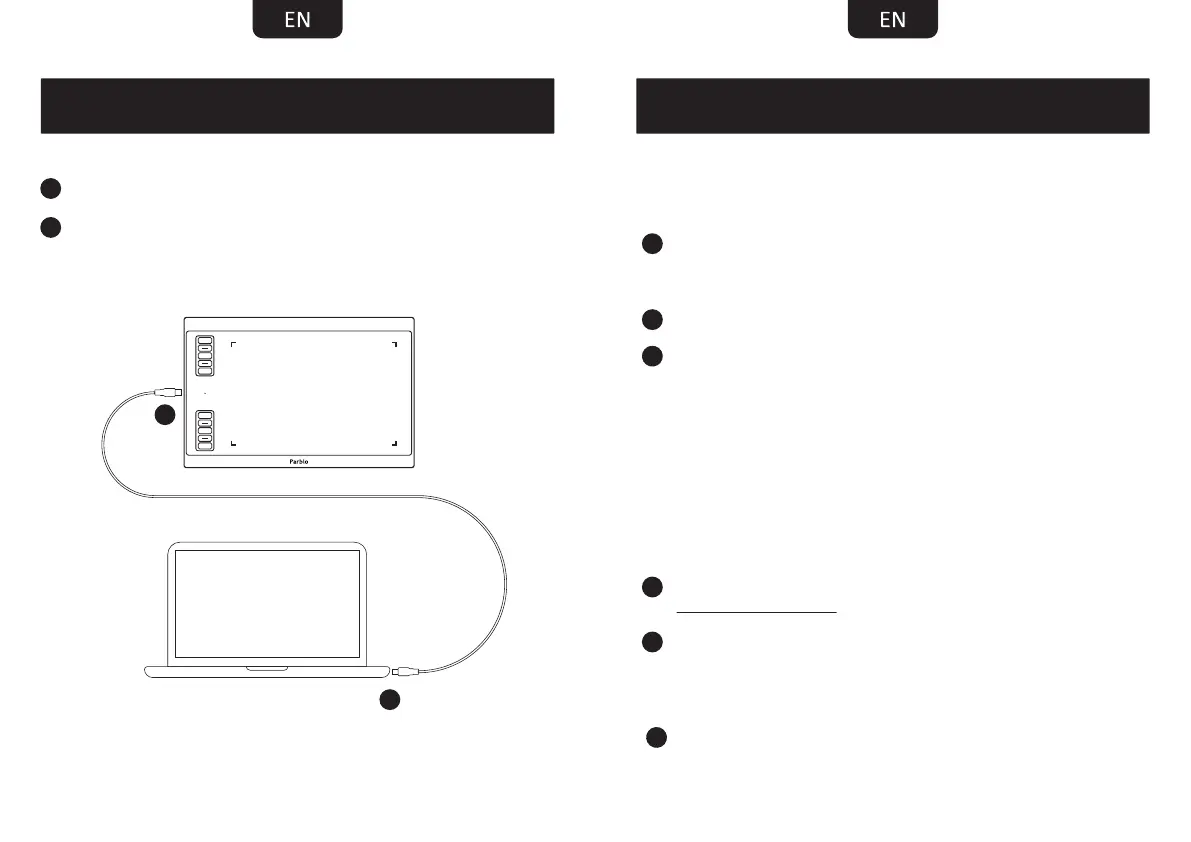
SETTING UP A610 PLUS
Plug Type-C end into A610 Plus.
Plug USB end into computer.
3 4
CONNECTION
2
2
1
1
Click it to open“(Parblo) Tablet Setting”.
3
Know Before Installing
Uninstall and completely remove any drivers of other
graphic tablet/monitor installed before in your
computer/laptop.
Disable any anti-virus software and firewall temporarily.
Make sure you are installing the driver as administrator.
2
1
3
Installation
Download and install the driver from
support.parblo.com
After a successful installation
Win: find a "Pentablet" icon in the right bottom corner
and "Pentablet" in the start menu.
Mac: find "PenTabletSetting" in the "LaunchPad".
2
1


 To Next Page