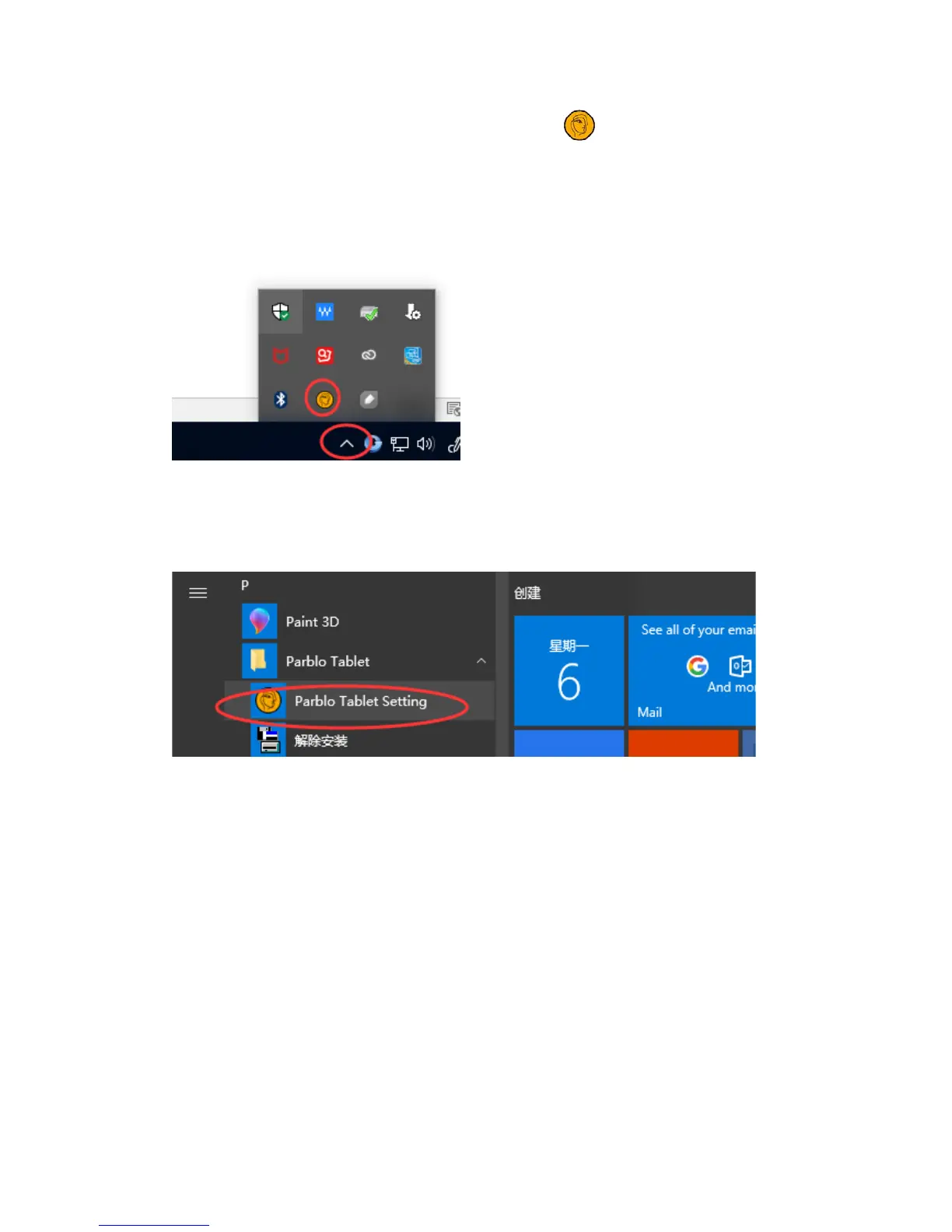
1. Open the tablet setting panel by clicking icon , which is usually in the
taskbar of the system.
Tips: If you cannot find the icon in the bottom right of your computer screen,
please open your computer menu system and search “Parblo Tablet Setting”.
2. Open the tablet setting panel manually:
For windows XP: Start – Settings – Control Panel –Parblo Tablet Setting
For windows Vista/7: Start – Control Panel –Parblo Tablet Setting
For Window 8/10: Right-click the Start Tray – Search -Parblo Tablet Setting
Info: Basic information of the tablet
1. Version of control panel of the tablet


 To Next Page