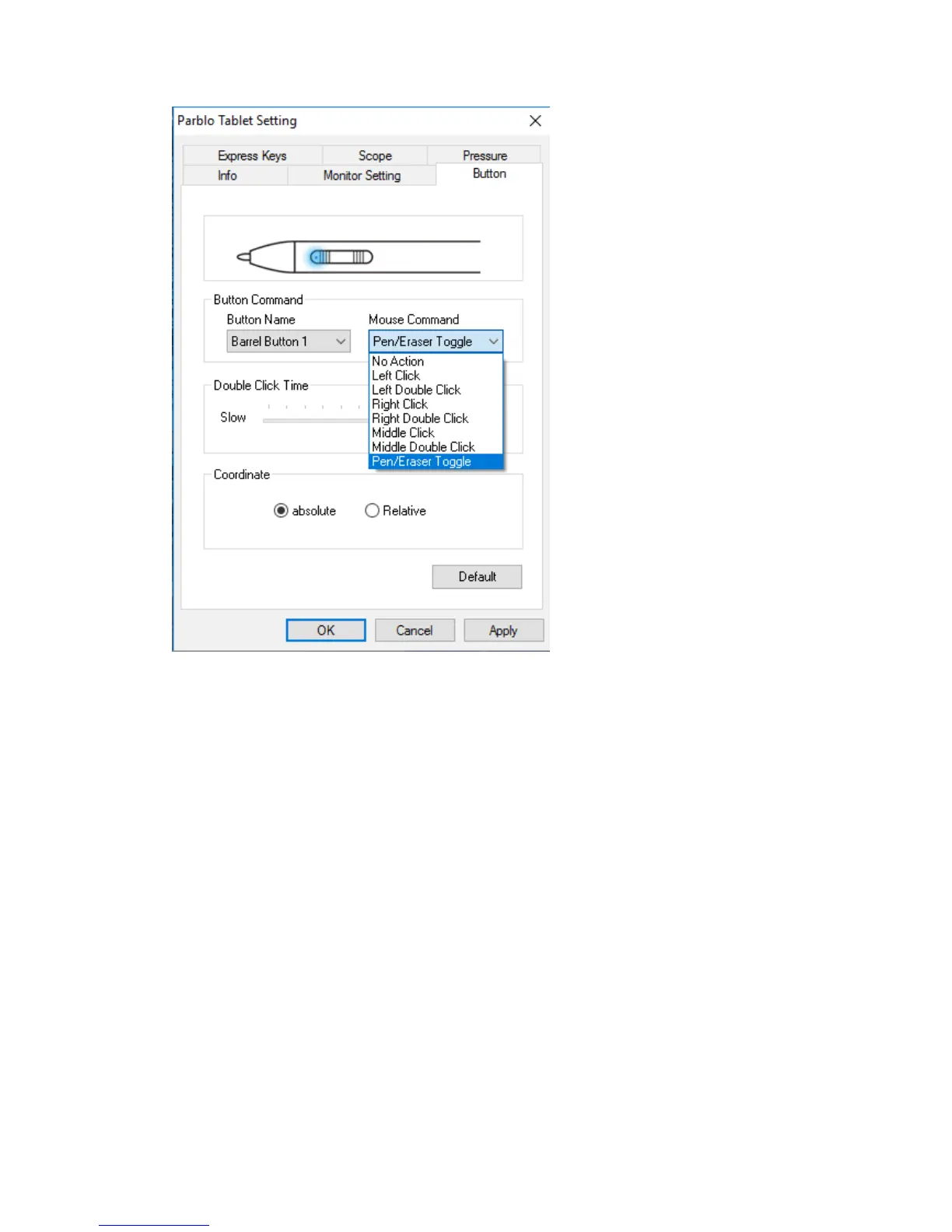
1. Button Command: The two buttons of the digital pen can be configured as “Left
Key”, “Right Key”, “Left Double-click”, “Right Double-click”, “Middle
Key”, “Middle Double-click”, “Pen/Eraser Toggle”
If the button is configured as “Pen/Eraser Toggle”, it can be used as
pen/eraser switch mode by pressing the key.
2. Double Click Time: Modify speed of the mouse when double click with the passive
pen.
3. Coordinate: Select Absolute or Relative


 To Next Page