Please Note - Depending on how your equipment has been installed , not all funcons
will apply.
If you installaon required 1 camera, the monitor generally turns on when you
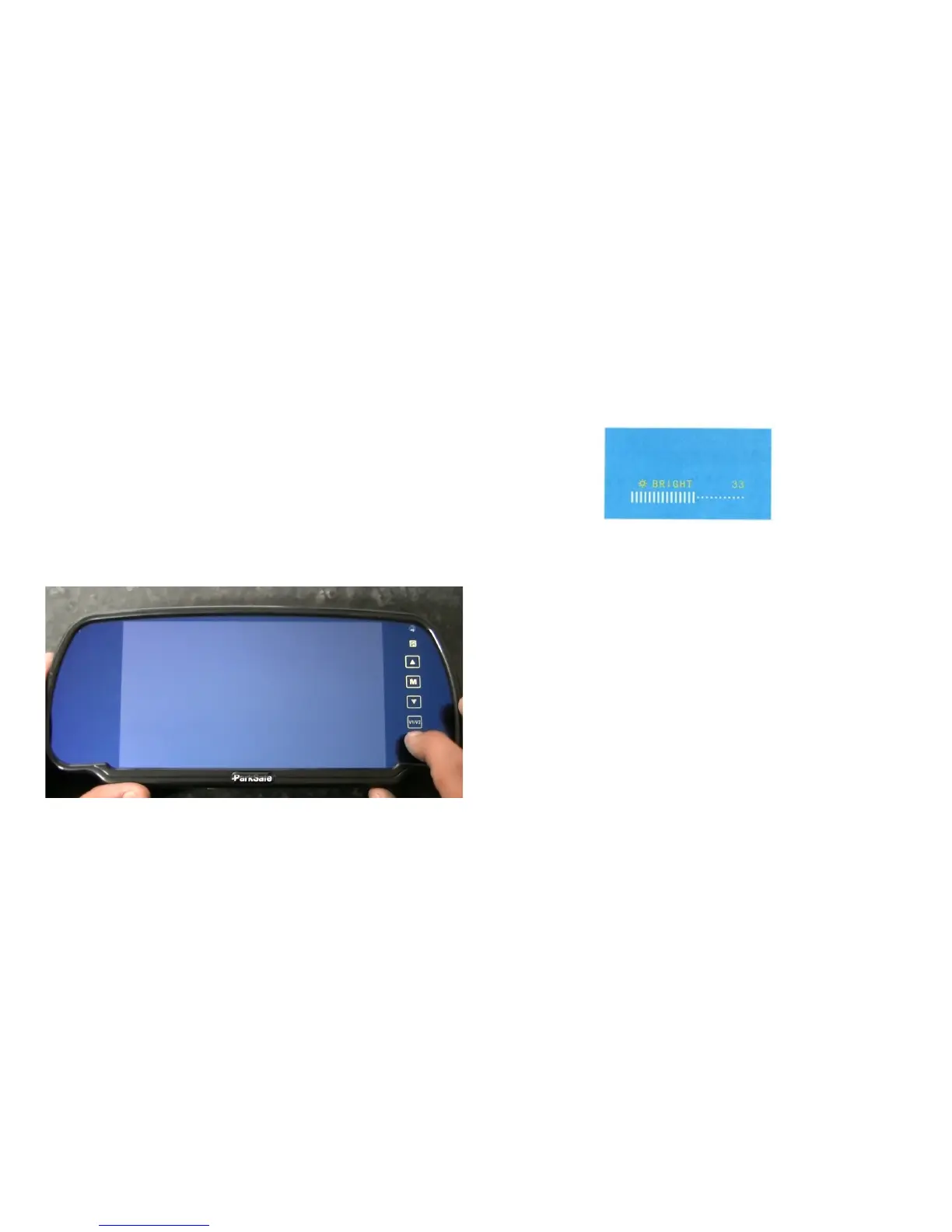
put your vehicle into reverse, and pressing the V1/V2 buon will give you a blue
screen saying “No Signal”. V1/V2 is never used in a 1 camera install.
• If your installaon required 2 cameras, generally the monitor is always powered and
displays an image, and when placing the vehicle into reverse the picture swaps on the
screen. And you can swap between the camera by using the V1/V2 buon
Press the power buon to turn your monitor on
3 4
How to use your Monitor
Press the MENU buon to scroll through the menu, using the UP and DOWN
arrows to alter each seng
Please note - Menu opons and order can change
Press the M buon and the menu will appear on the screen , if you press the M
buon again the next opon will appear on the screen (Like above)
Brightness - This opon changes the brightness of the picture
Contrast - This opon changes the contrast of the picture
Colour - This opon changes the colour of the picture
Mode - This opon changes the screen size
Tcon - This opon changes the rotaon of the screen
Language - This opon alters the language of the menu
Volume - This opon alters the volume if your camera has an audio funcon, if you
camera does not have an audio funcon we recommend the volume to be o
Reset - This opon will reset the monitor back to the original sengs
How to use your Monitor


 To Previous Page
 Loading...