6
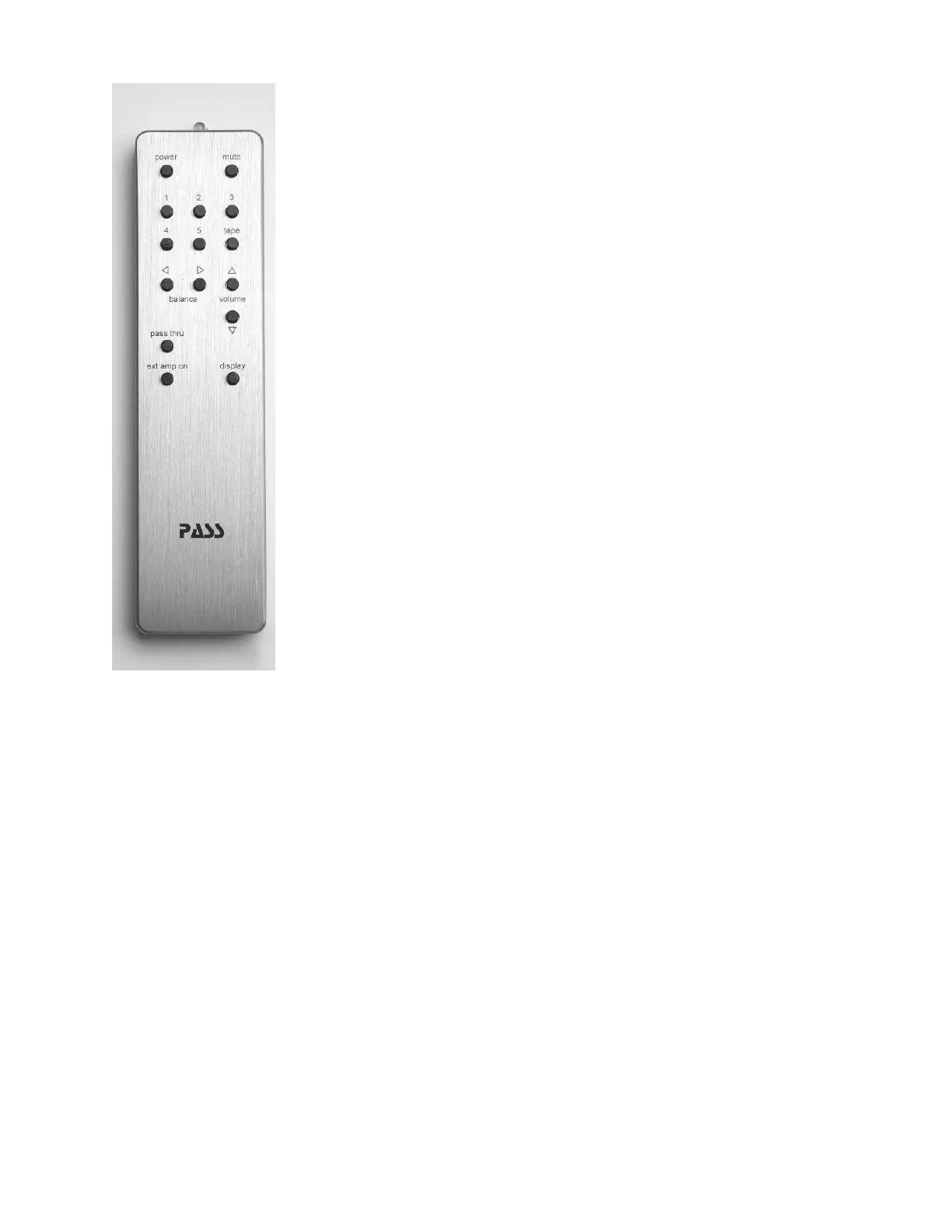
This remote is designed to operate several pieces of Pass Labs
electronics, not all of the functions available on this remote will
be applicable to your Pass Laboratories INT-25.
Power: Pressing power alternates between standby and on.
Mute: Pressing mute once will quiet the pre-amplifi er outputs;
pressing mute a second time will return you to the previous
volume control setting
Input Selection: Pressing. 1,2,3 will immediately move the input
selection to that input selection; volume and balance settings will
not be disturbed.
Volume: Pressing the increase (^) button or the decrease (v)
button will shift the volume setting 1dB, holding a button down
will increase or decrease the level until such time as you either
release pressure on the button or reach the limits of the volume
control.
Balance: is not used with the INT-25. This is used on other Pass
preamps and has no effect on this product.
Tape: is not used with the INT-25. This is used on other Pass
preamps and has no effect on this product.
Pass Thru: is not used with the INT-25. This is used on other Pass
preamps and has no effect on this product.
Display: The default setting for the display is “bright”, pressing the
display button once changes the display to its “dim” or “low intensity” setting, pressing
the button a second time selects “off” for the display. When “off” is selected any
other control function will cause the display to indicate product operational status
for approximately 7 seconds and then the display will once again blank. Pressing the
display button a third time cycles back to a “bright display”
Ext amp on: is not used with the INT-25. This is used on other Pass preamps and has no
effect on this product.


 To Next Page
 Loading...