EasyManua.ls Logo

Paxton ins-20800 - User Manual

Paxton ins-20800
12 pages
Print Icon
To Next Page IconTo Next Page
Loading...
Paxton
ins-20800
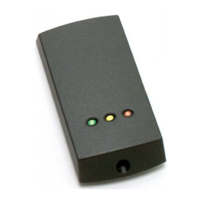
Proximity readers and Keypads
Question and Answer IconNeed help?

Do you have a question about the Paxton ins-20800 and is the answer not in the manual?

Summary

Mounting

Mounting Step 1

Illustrates the first step of mounting the device.

Mounting Step 2

Depicts the second step of securing the device.

Wiring

Wiring Diagram

Shows the internal wiring connections for the reader.

Installation Guidelines

Reader Placement Rules

Provides rules for reader placement and mounting.

Technical Help

Reader;Keypad Troubleshooting

Offers advice on diagnosing issues with readers and keypads.

Advanced Reader Functions

Cable Extension Guidelines

Specifies approved cable types and maximum lengths for extensions.

Net2 Desktop Reader Setup

Explains how to set up a door reader as a desktop reader in Net2.

Net2 Access Troubleshooting

Guides on checking LED indicators and user validity for access problems.

Specifications

Product Specifications Table

Lists technical details like current, handsfree, HID compatibility, and operating temperature.

Product Compliance

North America Compliance

Details UL listing requirements and limitations for North American installations.

FCC Compliance

Outlines FCC rules and conditions for device operation.

Summary

Mounting

Mounting Step 1

Illustrates the first step of mounting the device.

Mounting Step 2

Depicts the second step of securing the device.

Wiring

Wiring Diagram

Shows the internal wiring connections for the reader.

Installation Guidelines

Reader Placement Rules

Provides rules for reader placement and mounting.

Technical Help

Reader;Keypad Troubleshooting

Offers advice on diagnosing issues with readers and keypads.

Advanced Reader Functions

Cable Extension Guidelines

Specifies approved cable types and maximum lengths for extensions.

Net2 Desktop Reader Setup

Explains how to set up a door reader as a desktop reader in Net2.

Net2 Access Troubleshooting

Guides on checking LED indicators and user validity for access problems.

Specifications

Product Specifications Table

Lists technical details like current, handsfree, HID compatibility, and operating temperature.

Product Compliance

North America Compliance

Details UL listing requirements and limitations for North American installations.

FCC Compliance

Outlines FCC rules and conditions for device operation.

Paxton ins-20800 Specifications

General IconGeneral
Product TypeCard Reader
Operating Voltage12V DC
IP RatingIP54
CompatibilityNet2 Systems
MountingSurface
TechnologyProximity
Supported CardsPaxton Proximity cards and fobs
Operating Temperature-20°C to +50°C

Related product manuals