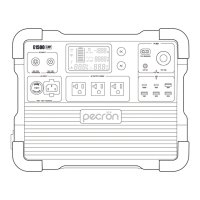
E1000
AC
DC
AC OUTPUT-1800W Max
18W*2
12V 20A Max
100W*2
5A
20A
10A
DC OUTPUT
11~60V-600W Max
8A 20A
DC INPUT
8A 20A
support@pecron.com
HOW TO USE THE E1000 LFP
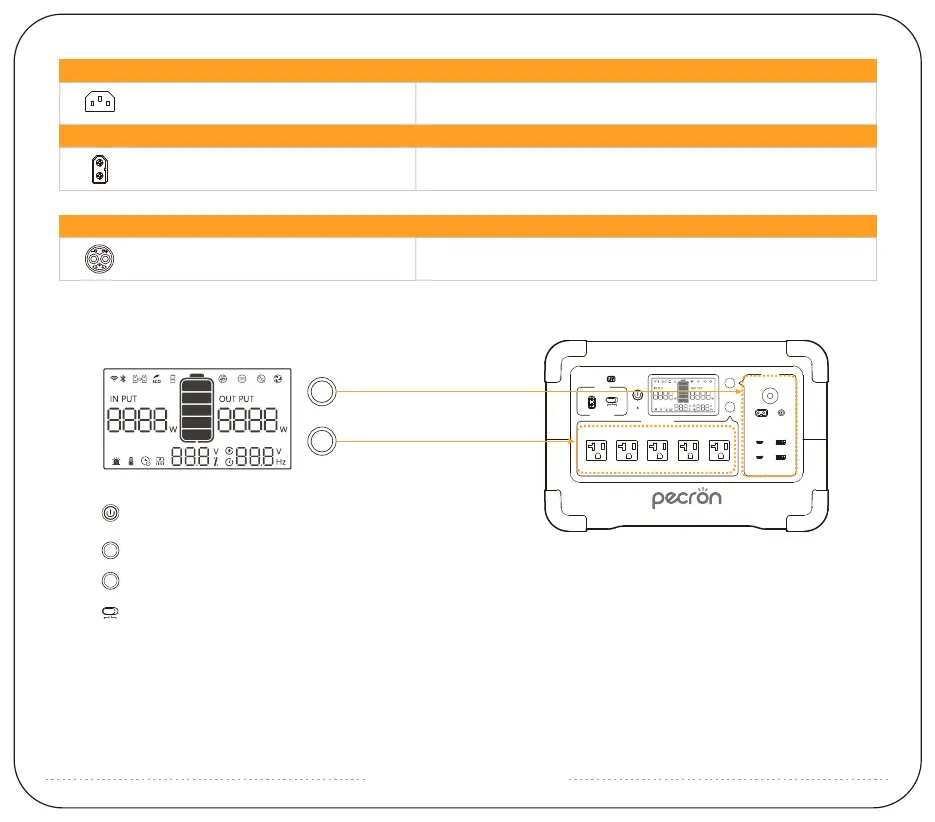
Short press to turn on, long press to turn off,
short press to turn off the screen while working;
Press and hold to turn on / off DC / USB;
Press and hold to turn on / off AC;
Charging current adjustable during 12-30Vdc;
(Please turn off the AC function if there is no AC load on the unit)
MJ32 *1 48V, 20A MAX
3 5
4
2 1
DC INPUT
EXTRA BATTERY PORT
AC INLET *1
XT60 *1
AC INPUT
100Vac~120Vac 50/60HZ
15A Max
11V~60V
600W Max 20A Max
DC
AC
DC
AC
Note: Long press the AC+DC to reset WIFI and enter pairing mode;
Long press the main switch+DC to activate ECO mode;



 To Next Page