7.1 TV brackets ing
Do not panic!
You will not need all of the remaining hardware.
The large seleion of remaining hardware is to
accommodate as many dierent screens as possible.
For a corre fit you will have to identify the right combination
of provided acers, washers and bolts.
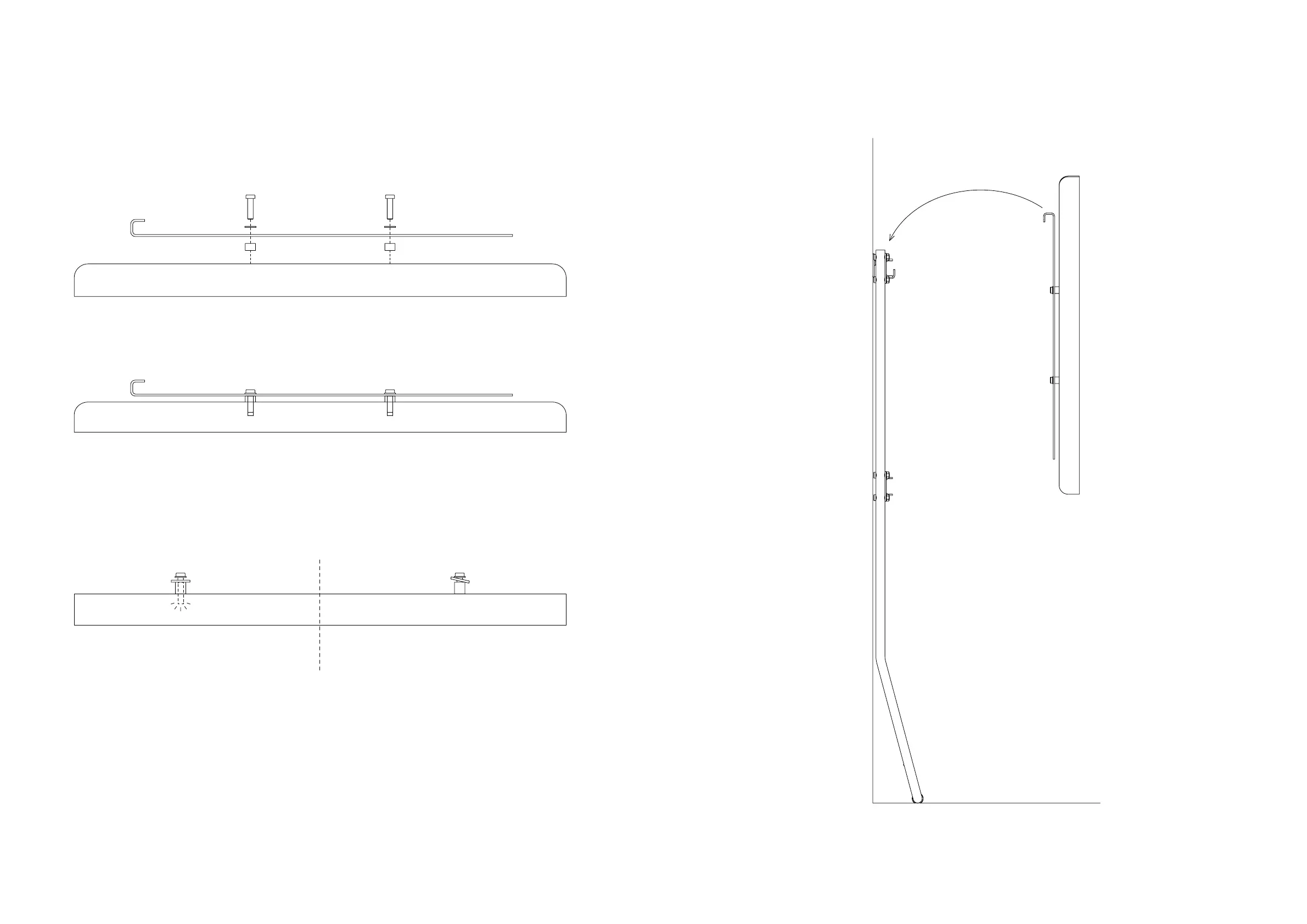
Place the acers between the screen and the brackets
to ensure that the brackets do not touch the screen.
If for inance your screen has a curved backside, you might
have to use more than one layer of acers.
Now screw the appropriately dimensioned bolts with washers
through the brackets and acers into the threaded holes on
the backside of the screen. Tighten the bolts until you have a
snug fit. Be sure not to overtighten. The bolts mu not reach
the boom of the threaded holes. Overtightening might cause
damage to your screen.
Correct t
Incorrect t
1 2
8.0 Mount TV on stand
Task
Place your screen on the and.


 To Next Page
 Loading...