9 of 36
ISSUED: 07-24-12 SHEET #: 180-9023-1
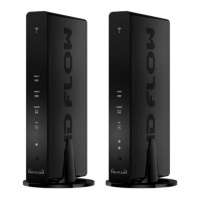
Transmitter Front
1. Power/Link Indicator Light
• Blinking indicator light - System booting or establishing link between the Transmitter and the Receiver.
• Quick blinking indicator light - Software upgrading or wireless/LAN mode switching.
• Solid indicator light - Link between the Transmitter and Receiver has been established and is ready for
signal transmission.
2. HDMI 1
• The HDMI 1 indicator light will be illuminated when the HDMI 1 port is selected for video input.
• If there is no signal, and/or the cable is not connected, the indicator light will blink.
3. HDMI 2
• The HDMI 2 indicator light will be illuminated when the HDMI2 port is selected for video input.
• If there is no signal, and/or the cable is not connected, the indicator light will blink.
4. PC
• The PC indicator light will be illuminated when the PC In port is selected for video input.
• If there is no signal, and/or the cable is not connected, the indicator light will blink.
5. AV
• The AV indicator light will be illuminated when the AV In port (Composite) is selected for the video input.
• If there is no signal, and/or the cable is not connected, the indicator light will blink.
6. IR Window
• IR receiving window enables remote control of components.
7. Power/Source Selection Button
• Press and hold for 3 seconds to turn on the unit.
• When powered on:
º Press to select the video input source. Each press of the button will cycle through the available
video input "HDMI1→ HDMI2→ PC→ AV →HDMI1" in sequence.
º Press and hold for 8 seconds to turn the unit off.


 To Next Page