NOTE
If the indoor temperature is too low but the humidity is too high,
making the mist hard to spread fully, we suggest reducing the amount
of mist.
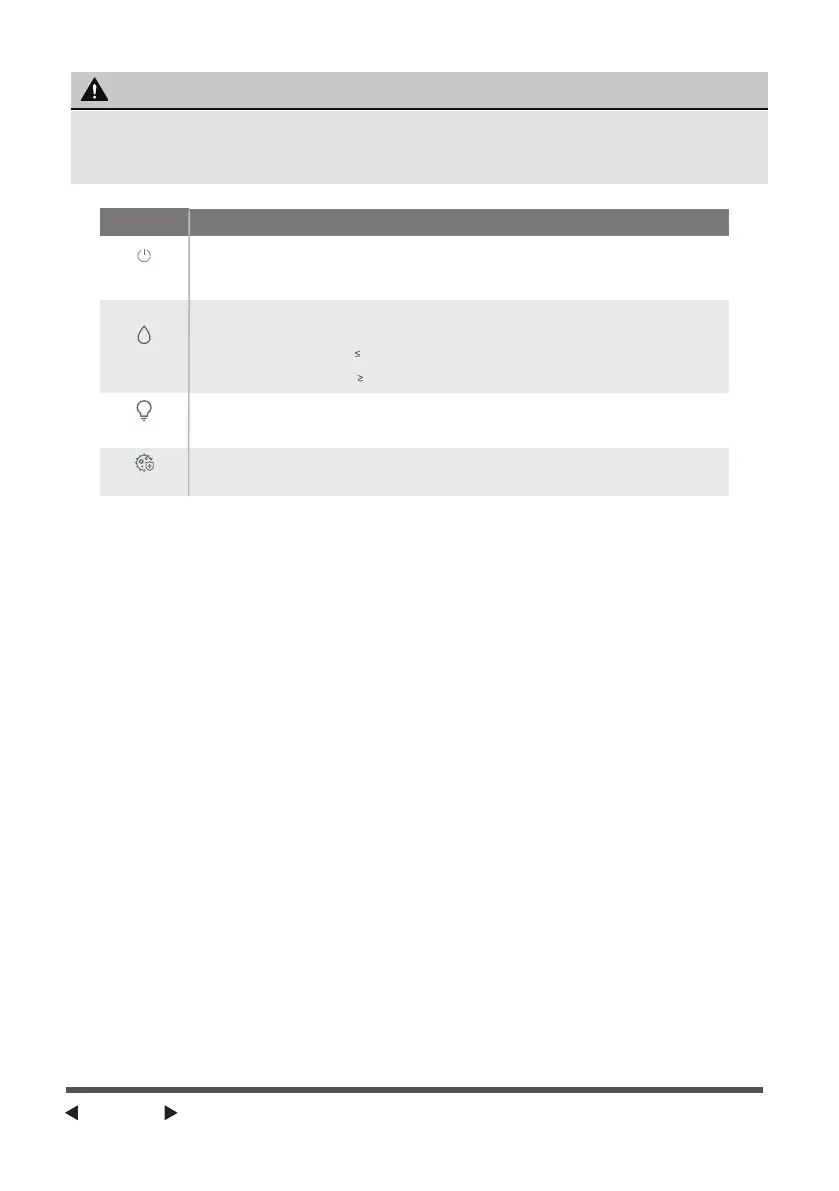
Power-on/
Standby
Mist amount
mode
Light
Sterilization
Buttons
Function description
When it is in the standby state with water in it, press the Power-on/Standby button to start the
humidification and sterilization with a high amount of mist in default. When it is in the Power-on
state, press the Power-on/Standby button to switch it off. In this case, the humidifier will stop
working and return to the standby state. If there is any adjustment in shift after it is switched on,
switch it on again without electricity cut off, it will work with the last shift and sterilize.
When it is in the power-on state, press this button so that you can choose low shift, intelligent
constant humidity and high shift for the humidifier with the correspondent light on. The intelligent
constant humidity is working as follows:
1) In case of ambient humidity
52%RH, humidify with a high amou nt of mist.
2) In case of 52%RH<ambient humidity<63%RH, humidify with a low amount of mist.
3) In case of ambient humidity
63%RH, stop humidifying.
1) In the Standby state, press the night light button to turn on or off the atmosphere light.
2) When it is switched on, the atmosphere light is also on in default. Press the button to turn off
the atmosphere light. Press it again to turn off the shift light. Press it for the third time to turn on
the atmosphere light and shift light, and then press it the fourth time to start a new cycle.
When it is switched on, the sterilization is also turned on in default. Press the Sterilization button,
and the sterilization will stop with the sterilization indication light going out.
Monitor Water Levels:
1. Monitor Water Levels: When it is switched on for the first time, the
humidifier will detect the lack of water with its atmosphere light flashes in
red ten times before it goes out. (If there is any water detected during the
flashing, the humidifier will start working and then enter into the Standby
state with the atmosphere light going out.)
2. Low Water Indication: atmosphere light will be on in red while the mist
amount shift light flashes ten times before it goes out, and the humidifier
returns to the standby mode (If there is any water detected, the humidifier will
resume working.)
3. Indication light: When it is working normally and not in the Power-off state,
the humidifier will work in the correspondent state with the correspondent
light on.
4. Humidity Light: When it is working normally and not in the Power-off
state, ambient humidity<40% means the atmosphere light will be on in yellow,
40%RH≤ambient humidity≤60%RH means the atmosphere light will be on in
green, and ambient humidity>60%RH means the atmosphere light will be on
in blue.
5. When When powered on for the first time, for the first time, all the indication
lights will be on for one s
econd before they go out.
Page 4


 To Next Page
 Loading...