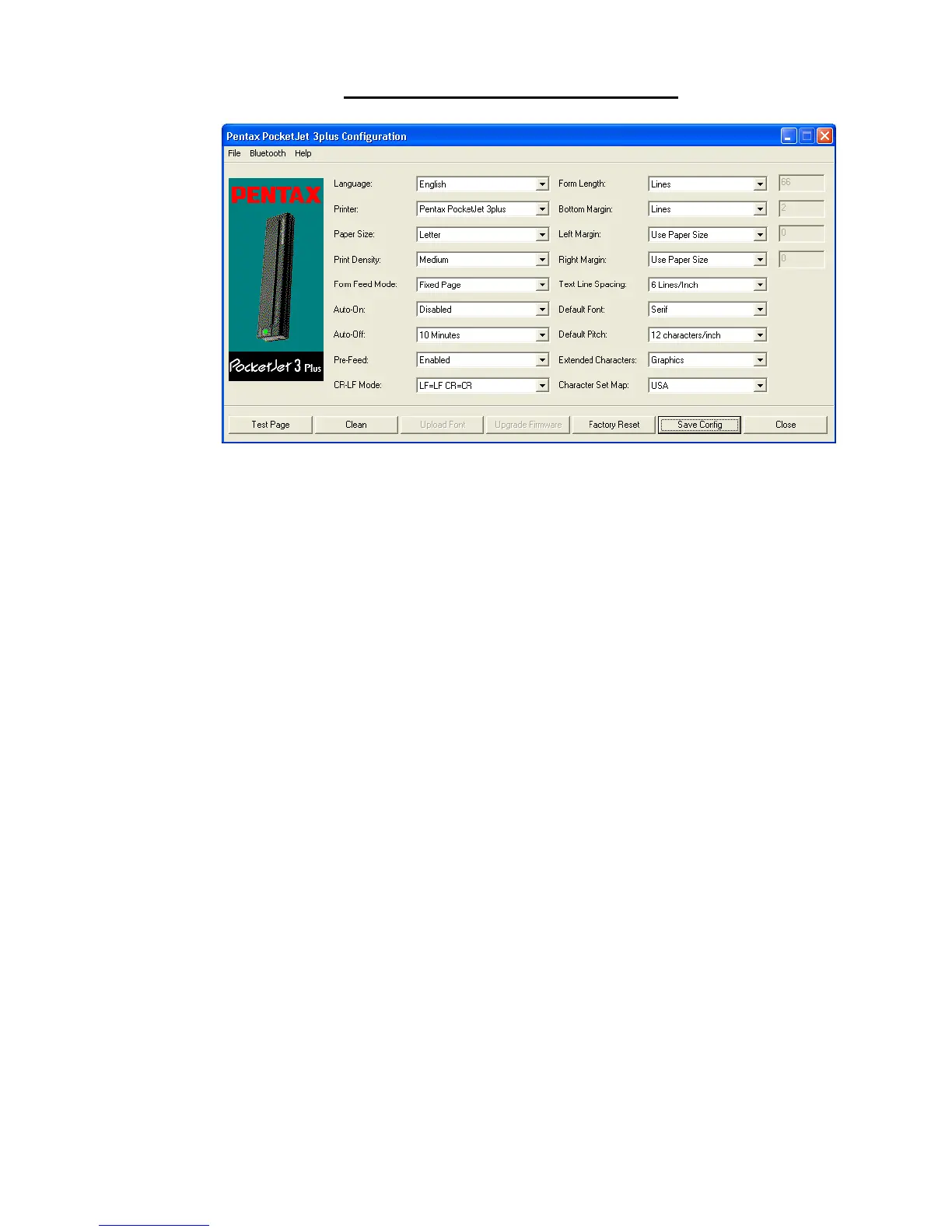
Printer Commands (Function Buttons)
See the buttons across the bottom of the window.
Test Page:
You can print a test page using the Configuration Utility or you
can print test pages using the Main Switch (see “Self Test
Feature,” page 54).
Clicking on ‘Test Page’ will print a page showing the current
printer configuration, a selection of resident fonts, and image
quality verification graphics. See illustration on next page.
Page 35








![Preview: DA FISH-EYE 10-17mm f/3.5-4.5ED [IF]](https://data.easymanua.ls/products/1474233/200x200/pentax-da-fish-eye-10-17mm-f-3-5-4-5ed-if.webp)


 To Next Page