Clearing a Paper Jam
Method 1
Press and hold the green Main Power switch. The drive motor will
start and move slowly for a few seconds, then move faster as long as
you hold the switch down. This can be repeated as many times as
necessary. If this does not move the jammed paper out of the printer,
use Method 2 below.
NOTE: This method can also be used to finely position a sheet of
paper for printing, for instance on a pre-printed form.
Method 2
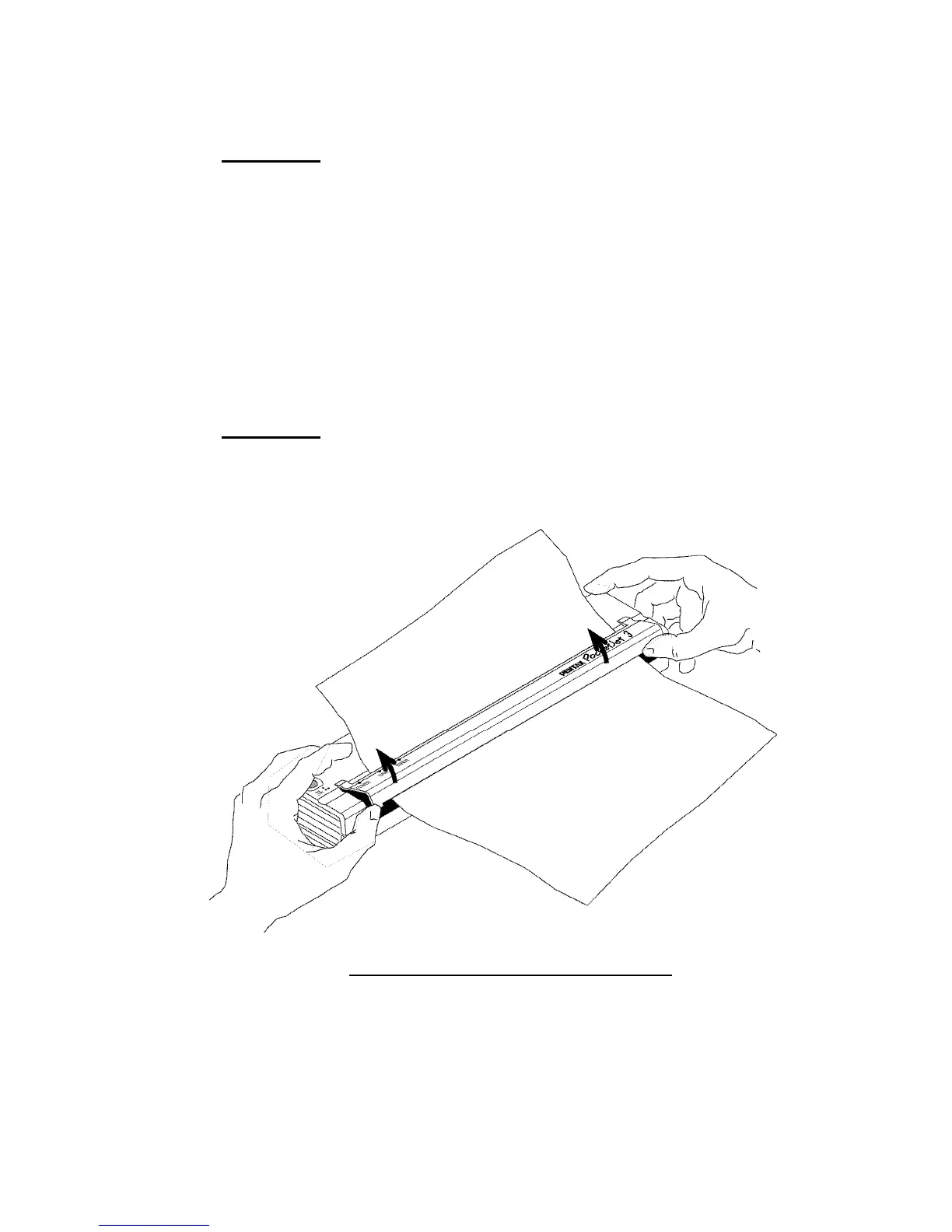
1. Gently open the release cover as far back as it will go.
See Figure 15.
FIGURE 15. Opening the release cover
Page 45








![Preview: DA FISH-EYE 10-17mm f/3.5-4.5ED [IF]](https://data.easymanua.ls/products/1474233/200x200/pentax-da-fish-eye-10-17mm-f-3-5-4-5ed-if.webp)


 To Next Page